When entering house number mode and tapping H to add a new house number, the bubble appears but the cursor is not ready in the bubble to type. You have to click to have the cursor ready. Before this update the cursor was ready when you tapped H.
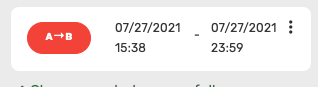
Just edited closure that was made on the 3rd March that was A<->B to Two Way. Instead of editing the closure, Waze created a seperate closure on the segments for the B<->A direction with the same start date and time as the original closure. I’m not sure why this happened.
Came to report this. It’s rather frustrating, because you hit all sorts of hotkeys now, toggling layers, zooming, or scrolling the map. Please repair this soon with a hotfix or so.
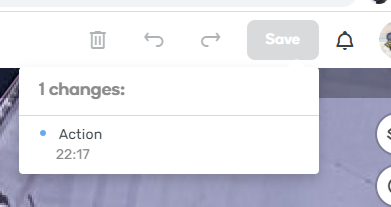
Unable to add roundabouts with this version. When drawing a new roundabout, road segments leading to the roundabout will get disconnected from the original junction but the roundabout itself never comes up, save button counter doesn’t increase and there is nothing to undo. Yet there is this one action listed when hovering mouse over the grey save button.
I’m using chrome (or chormium). All scripts and extensions are disabled and I cleared the browser cache before reporting this.
Thanks for the tip. This seems to be location specific after all. I tried several other locations without any issues. It’s just this particular intersection that is failing. Re-creating segments didn’t help. I’ll wait till next map release and try again.
I managed to fix it. The trick was to add new temporary roundabout on an adjacent junction node. Didn’t even had to save it. It was enough just to add new roundabout, after which the problem went away immediately, and I was able to add the original roundabout I was trying to add. Then I deleted my unsaved temporary roundabout, reconnected segments, and saved everything successfully. Weird stuff. Not surprising but weird :roll:
Level 4 editors cannot create or modify junction boxes anymore. All existing junction boxes seem to have moved up to “Auto (5)”, including those created by level 4 editors.
In case this is a per-country thing: I’m talking about Germany, Switzerland, and France. Not entirely sure about the latter two, but in Germany it was definitely a L4+ thing until this week.
Creating junction boxes still works in Germany for L5. When creating them the lock level is Automatic(L1), which can’t be changed, they’re automatically saved at Automatic(L5). I can’t remember whether I could choose the lock level before the WME update (to set the lock level to L4, as L4 editors could create/modify/delete junction boxes)