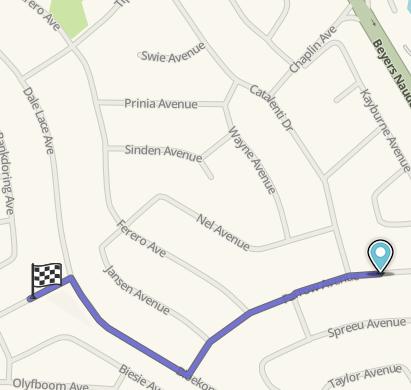
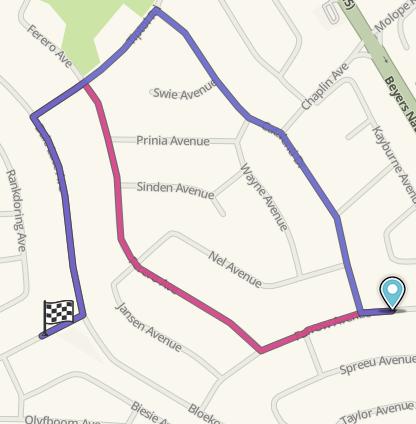
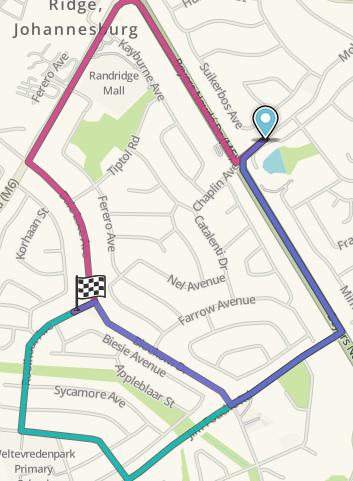
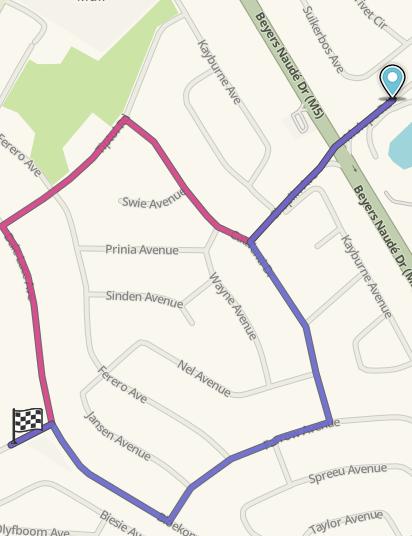
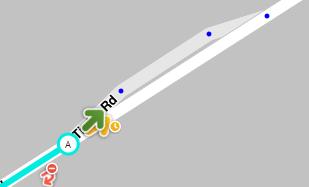
I suggest an option to have unrestricted access to a private road at certain times, similar to the way one can currently add timing restrictions to prevent access.
This will allow traffic to be routed through a boom gate where in certain areas boom gates stay open at certain times during peek hours i.e. allowing traffic to pass trough without stopping.
If the area was closed all the time then I would use Private Roads as this is what they are for.
Setting them as Private Roads will have a permanent effect on routing that will most likely avoid the area so Waze will not suggest Wazers to go through but rather to go around it.
From what I understand you want Waze to be able to guide traffic through during peek hours.
In that case the only way to have Waze suggest the roads easily is to leave them as Streets. But then you would need to apply restrictions to avoid traffic to be suggested to go through when the gates are closed.
I would only apply the restrictions where the gates are and preferably I would apply the restriction only on the allowed turn arrow (by clicking the clock next to the green arrow to make it yellow), not on all segments inside the area, that way someone inside would be routed properly.
I’m not 100% sure about this, but I think that for anyone asking to be routed specifically to an address inside the area, Waze will ignore the restrictions at the gate because there is no other choice that to go through it. And to exit it should do the same, but at least no more general traffic who’s destination is not inside the area should be suggested to go through a restricted turn.
This is what I would do since you say it’s sometimes public and not private all the time. Of course it would need to be tested to see if this solution works.
When I look at your map I see that “Ferero Ave” seems to be connected too, but you don’t mention a gate there… If that is the case then it could be a problem for my solution because it would then become the only choice to get in while avoiding restrictions at gates, so anyone wanting to get home in the area would be routed through that segment.
As for your original suggestion to have an additional option to the Private Road type that would allow Private Roads to become public during certain times, I understand why you asked but there are other work-arounds.
Besides to my knowledge there is no way (yet) to be able to change a segment’s type/category based on dates or time. And I’m not sure it would be accepted as there aren’t many places where that would be useful.
Road Type penalties and Restrictions are enough to do the trick most of the time.
No “Ferero Ave” is not connected. Thanks for the Wiki link I’ll have a look at that.
The problem in applying turning restrictions is that, in the case of the unmanned locked steel gate, if Waze ignore the turning restriction at the steal gate then it will try and navigate you through and imposable route.
I guess the residents would know and avoid it if Waze tells them to go through…
If you set just this one as Private road it will suggest the other two more easily, but then it would also avoid it when the gate is open during peek hours.
In your tests you could also add a second turn restriction at that gate (1 at node A + 1 at node B) to see if two turn restrictions work better than one.
It’s a matter of what you think is more important.
Routing residents who know about the gates or routing Wazers traffic more appropriately.
I think I have a work-around that works. I tested it in live maps and also no UR reported in the last month.
From inside the area it correctly use the open unmanned gate during peek hours
And outside peak hours when the unmanned gate is closed it correctly routes to the manned boom gate.
Traffic is also routed around the area during off-peak times
Traffic is allowed trough the area during peek hours when all gates are open.
The unmanned gate is defined as a street with timed turning restrictions.
For the manned boom gates I created 2 roads next to each other that is not visible in the app.
In map editor max zoom you can see the 2 roads, one a private road to cater for the off-peak times and the other a normal street with timed turning restrictions.