I haven’t tested with tampermonkey. But the crx extension works directly in Chrome. I’ve name it 0.44 to avoid some errors, but basically it’s the code of version 0.43.
Hi all,
I’ve granted edit/commit access to the google repository for some guys who recently provides me good patches. I hope they will provide you the next release very soon.
I’m not anymore able to work on this topic but I’m really glad to see how it is highly requested to be maintained (=> message to WME maintainers  )
)
Do not hesitate to send me your requests to have access to the main repository, it’s better than publishing your own code in your own side even if you’re create branches.
Please remember that the plugin is published under the MIT licence => don’t forget to add your signature when you’re submitting patches.
I’m still there to answer and discuss about the features and the way to solve issues by mail for those who knows how to reach me 8-).
Regards,
Gilles
Odd, it was working for me yesterday. But today its not been working on either of my two computers.
NVM, got it working. Had to delete and reinstall ALL extensions to get them working again.
Hi all,
thank Gill 
There’s new version 0.45, changelog:
- added new beta editor url
- added link to other maps: Google, Google Beta, Bing, ViaMichelin
- injectit.user.js now works under Chrome+TamperMonkey & FireFox+GreaseMonkey just click on link, in Chrome with TamperMonkey no more download with drag&drops, autoupdate, manual update of all script with 1 click
v0.45 for Chrome+TamperMonkey & FireFox+GreaseMonkey:
https://wme-addons.googlecode.com/svn/branches/br_V0.40/injectit.user.js
v0.45 for Chrome CRX:
https://wme-addons.googlecode.com/svn/branches/br_V0.40/Chrome%20package/wme-addons.crx
PS:
I use TamperMonkey with all most popular WME extensions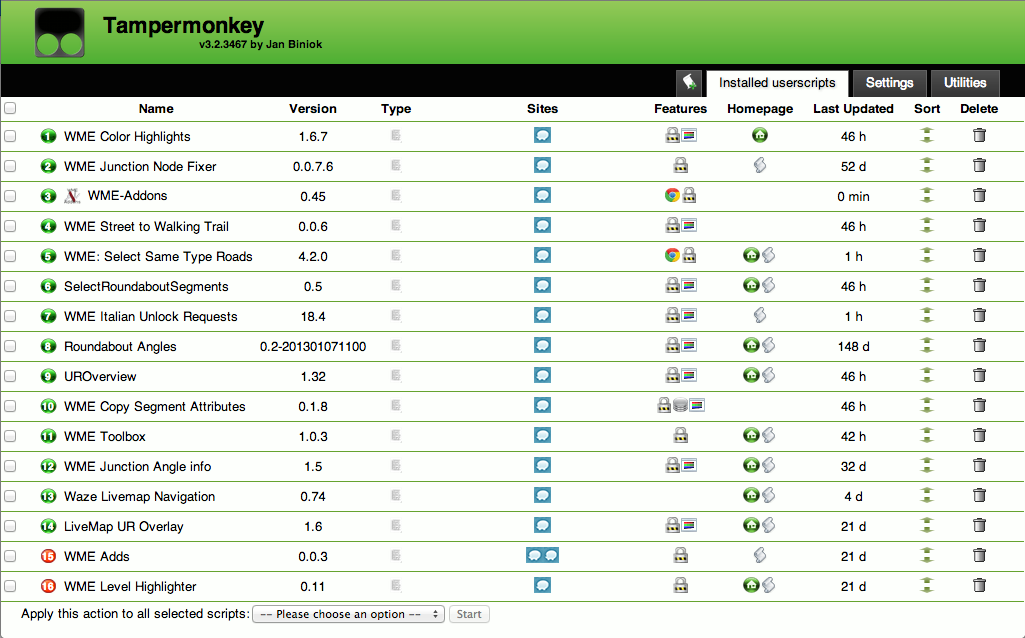
Could you make, so suppress junctions would not remove connections if there are Denied turns in between and if road types and/or directions are changing…
Can someone confirm compatibility of this tool with other WME browser extension tools in our Wiki?
http://www.waze.com/wiki/index.php/Community_Plugins,_Extensions_and_Tools
The Wiki needs to be updated to indicate compatibility.
Recently, I was not able to get this tool to work WME Toolbox (including JNF and CH), along with several other Waze related extensions running. I did not try it without the others running.
I will not be able to confirm the inter-compatibility between them, but if someone else did it I could get the info into the Wiki.
Please update the “open in >” links (doesn’t work with the new WME v1.3-108 Release)
Also include the new headers https://www.waze.com/forum/viewtopic.php?f=8&p=570750#p570750
Ciaooo
Segment List isn’t displaying accurate information. Some LockLevels are displayed 1 level lower than actual.
in English works, but when I switch to Spanish language no longer works
I do??
Best regards
Does anybody els get this. When on Waze and asking the Add on to go to Gmaps or other I get NAN NAN in the search box. I use to go directly to the correct coordinates.
Thanks for the help.
BD
AFAIK, the only default links in WME Addons are to OSM and Livemap. You can add links to Addons, but this information is stored in a cookie which is linked to the website URL. Since the editor URL has changed, it gets a new cookie and loses the old links. You may have to re-do the link.
Thanks iainhouse.
Do you know how to re-do the link?
Thank you
BD
Sent from my SGH-I747M using Tapatalk 4
On further investigation, the problem is due to the changed editor. The method that the script uses to pull the latitude, longitude and zoom values no longer works because the objects that hold these values have changed.
I have made some attempts to fix my local copy of the script. I initially succeeded such that the Google Maps link worked. But I then broke it again whilst trying to make the livemap link work! 
If I manage to work out where I’ve gone wrong, I’ll post some code the patch the script. Long-term, this will need fixing by the script author.
Today Add-Ons stop work in a normal editor, in beta work good.
Best regards
MG
Hi all,
gdu1971 has made an excellent work on this plugin. However he can’t maintain it anymore. That’s why I’ve contacted him, and now WME Addons main features are included in WME Toolbox.
So let’s continue the discussion in Toolbox thread.
Thanks again to Gilles alias gdu1971 !