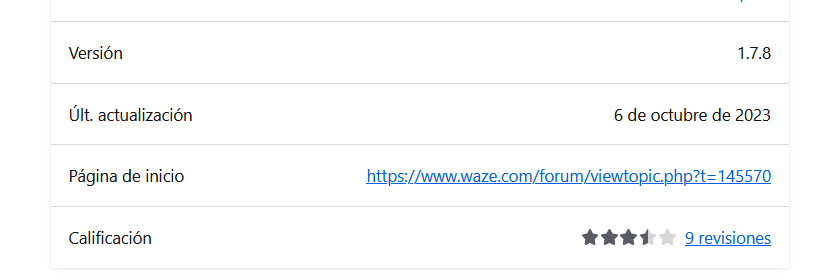
NOTE: Firefox users will need to check here regularly for updates. The extension will not automatically update, and we can’t guarantee this extension will work for Firefox in the long run.
First, thank you to everyone that worked on previous versions! Our goal is to keep Toolbox running so all of that hard work isn’t wasted.
!!! IMPORTANT !!!
Starting with version 1.9.36, Toolbox no longer requires Tampermonkey to be running. If you previously changed this CSP setting in Tampermonkey to “Yes” or “Remove entirely (possibly unsecure)”, please change it back:
Open the Tampermonkey dashboard.
Change “General > Config mode” to “Advanced”
Change “Security > Modify existing content security policy (CSP) headers” to “No” or “Auto” (“No” should be more secure but it’s unknown if that may affect other scripts. Try “No” and if you have problems, try “Auto”. Either way, Toolbox does not rely on that setting anymore.)
Be sure to click SAVE at the bottom of the Security section!
Hi, Firefox users. Please see the original post for an experimental release of a Firefox Add-on for Toolbox. Unfortunately we couldn’t post it on the Mozilla store, but we’ll see if we can keep this self-hosted version going – no promises. Keep checking for new releases here, or subscribe to this topic to get new post notifications (three dots at the bottom of the page).
As mentioned, this is an experimental release of the Firefox add-on We may or may not already be regretting the decision to add this to our list of things to do…
You may need to click on the extension in the Add-ons manager, click on the Permissions tab, and turn these permissions on. Otherwise, you must click on your extensions button to enable Toolbox every time you load WME:
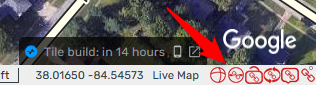
BUG: when you mouse over the link icons at the bottom right of the screen, it causes the bottom bar and WME to shift. Requires a WME refresh to fix it. We’ll investigate this…
Sorry for the confusion. We’ll be releasing 1.9.30 pretty soon. We just wanted to go ahead and get this new thread started (so I can make changes to the original post, e.g. attaching the Firefox add-on).
On that note, if you’re using it and experiencing the bug with the links at the bottom right of the screen, there’s an option to disable them in the Toolbox settings. I forgot to mention that yesterday. [UPDATE: I just heard this doesn’t work in production WME. So hang tight for the next release of TB. We’ll remove those buttons since they’re not needed/used much anymore]
Thanks for the clarifications.
About the links at the right bottom, I use the rightmost simple URL-copy link many times per day. It is much useful than the WME share.
I would suggest trying the WME Simple Permalink script. It does the same thing, with the added benefit that CTRL+C actually works to copy the link to the clipboard If that stops working at some point, we can evaluate adding something back to Toolbox. The current code is overly complex and hard to maintain.
 We may or may not already be regretting the decision to add this to our list of things to do…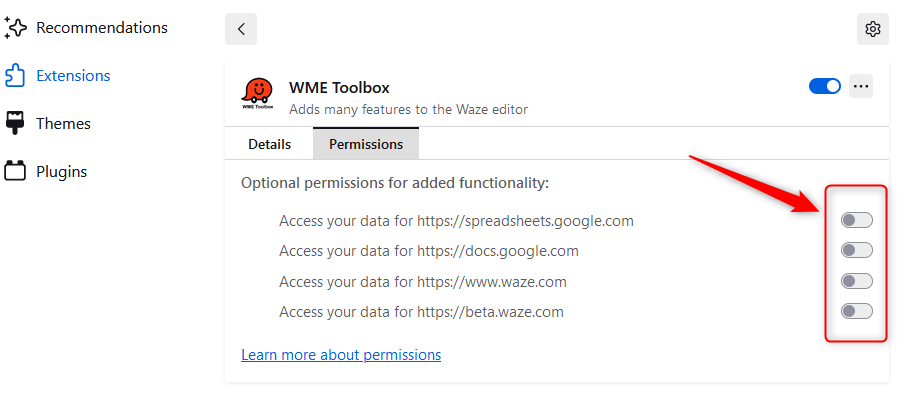
 If that stops working at some point, we can evaluate adding something back to Toolbox. The current code is overly complex and hard to maintain.