I am running the latest v1.26.257, but is anyone else seeing that the FU zoom bar stops below 12? So it’s 14…13…12…12…12…12 all the way down. If I toggle “Re-create zoom bar & move map controls” off and on, the zoom level is shown correctly, but still gets stuck at whatever it is until I get above 12.
Same behavior for me.
Not seeing this in any combination of Chrome/Firefox and Prod/Beta, so I’m really not sure what’s going on with your two setups. If you;'ve got the time, it’d therefore be useful if you could try some fault diagnosis (disabling all other scripts/add ons, toggling FUME settings) to see if it’s something that only occurs with a specific config…
Not happening with other scripts turned off. Later today I’ll do some more trouble-shooting with some scripts activated. Honestly it’s not a big deal for me because I rarely zoom out more than 12 anyway, but I’ll see if I can find the conflict. Thanks for all your work on scripts.
As Mapman said, not a big deal, I usually don’t zoom out that far either, I just thought I’d mention it.
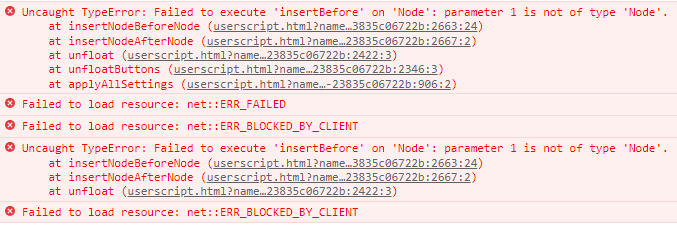
A quick search finds that US Government Boundaries seems to be the culprit. When zooming out, and the zoom level goes below 12, this logs in the console with each zoom level: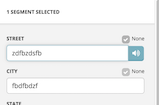
Which points to WazeWrap as that UserScript.
1.27.257 topbar compression should now be working properly again following the recent native tweaks to that part of the UI. Rather pleasingly, most of the fixes here consisted of removing some workarounds for the inconsistent behaviour of the previous UI, so this is one of those rare occasions when a native update has made our lives easier - remember where you were this day, for you may never see another like it :lol:
https://greasyfork.org/en/scripts/435828-wme-fix-ui-memorial-edition
Thank you for working on this. After I updated and refreshed I am still seeing a few problems. The save button is cutoff on the right side and the WME Presets are not useable because the panel comes down to the left of the WME Presets button and it’s impossible to move the cursor to the panel fast enough.
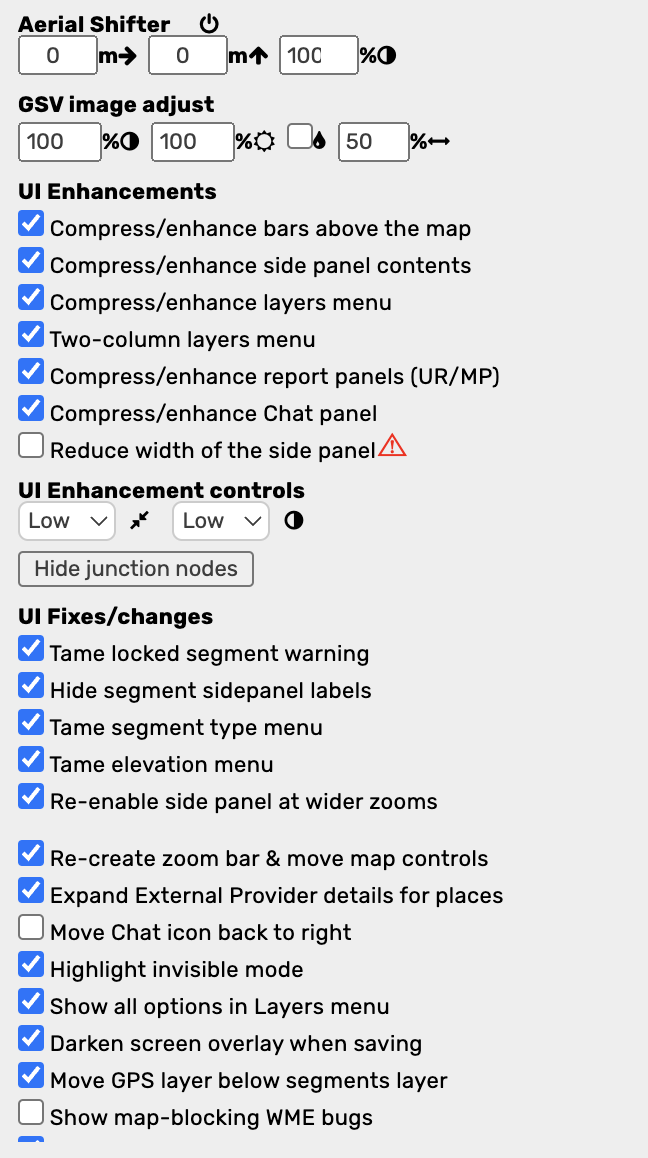
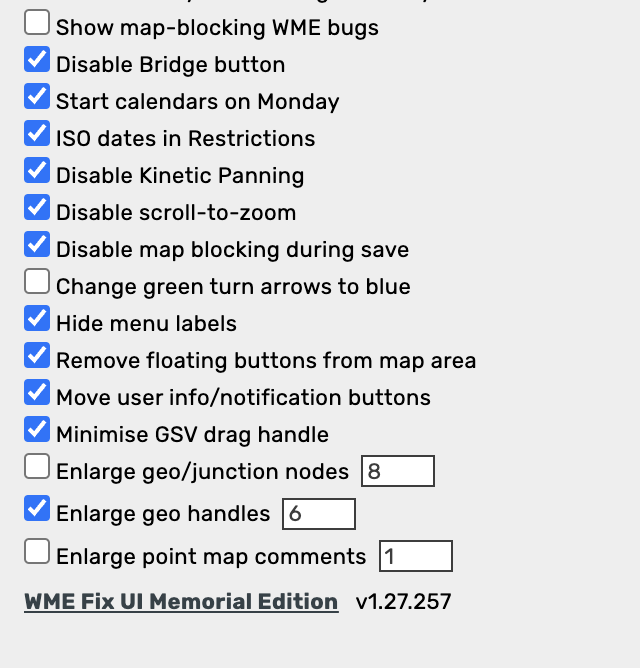
Yes, one of the UK champs team brought this to my attention as well. The problem seems to be partly caused by the addition of extra topbar elements from other scripts, which FUME can’t really take into account when trying to decide how to try shuffling around the native elements, partly by the running of WME in a browser window that’s just a bit too narrow for comfort given all the stuff trying to coexist in the topbar, but mostly by the unexpected way that turning on topbar compression causes the elements to grow horizontally rather than, at the very least, remaining the same width as before…
Whilst I don’t have many other scripts adding stuff into the topbar (for me, the topbar remains fully visible, hence releasing the script in this state), given there’s at least two people I now know of who DO use enough such scripts plus FUME, who’ve not reported this problem until now, I suspect the problem here has been triggered by some subtle change in the native UI design, rather than something that’s been present all along without anyone realising.
I’ll look into it as soon as I’ve got the time to do so, though right now I’m in the middle of trying to get two of my other scripts updated, so I’m juggling available time and priorities. And given that this problem can be worked around by disabling topbar compression, it’s a bit lower down the priority list at the moment compared with other issues that have no workarounds. Such is the glamorous life of a WME script writer.
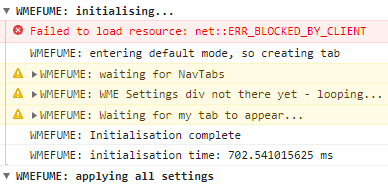
The tab UI enhancements that come from WMEFU are not loading for me. All other scripts/extensions are turned off. This is what I get in the console:

EDIT: A new WME production version was just released. Maybe that is impacting WMEFU: https://www.waze.com/forum/viewtopic.php?t=371117
1.28.257 fixes the compatibility issue with the latest WME update, tweaks the topbar compression to try and free up enough space to stop stuff falling off the edge of the screen on some systems, and finally nukes the “Area” label when the Hide menu labels option is selected…
https://greasyfork.org/en/scripts/435828-wme-fix-ui-memorial-edition
It’s great to have this back again.
But the issue I’m seeing now is that with top bar compression turned on, the area that activates those drop down menus extends below the white top bar now, into the shaded area below it. In the screen shot, moving the mouse into the area above the red line causes the Roads menu to drop down, meaning you have to click that little sliver of the X below the red line to close the street view window. 
1.29.257 fixes the problem noted by RussPA…
https://greasyfork.org/en/scripts/435828-wme-fix-ui-memorial-edition
With the latest version of WMEFU and WME production release, the user avatar hangs down over the left-side panel tabs.
That means that you don’t have the full space on the tab to click on it and could accidently click the avatar. Which leads to…
When you click on the avatar, the pane that opens is mostly cut off along the left side of the screen.
I’m assuming the new WME bar is causing this area to be crowded. Regardless, thank you for the new WMEFU version release! 
1.30.257 fixes the problem noted by G_W1Z
https://greasyfork.org/en/scripts/435828-wme-fix-ui-memorial-edition
1.31.257 tweaks the contrast of the selected segment type in compact mode
https://greasyfork.org/en/scripts/435828-wme-fix-ui-memorial-edition
Since the latest WME update, the map (both satellite image and Waze features) is not always loading well with this option switched on: Compress/enhance report panels (UR/MP). Map is then showing large grey areas.
When I toggle it, the map automatically reloads ok. See screen recording below.
https://drive.google.com/file/d/1Z1NkKwDOdbmUq-z29uZbURGlvYda3_zX/view
I’m not using that setting, but I am still getting the issue. My observation is that it happens when WME loads in the background. Try to refresh for example and switch to another tab.
Haven’t had much time to troubleshoot it yet, but I thought this might help :ugeek:
In fact, I made time to test it now and it seems like a bug…
And raised it in the Beta Bugs forum: https://www.waze.com/forum/viewtopic.php?t=372490
I agree with @YanisKyr that it is a native issue. I thought there was an existing bug, but it may have just been a comment in a release thread.
Anyway…thank you for pointing out how to fix the issue using FUME instead of a reload!
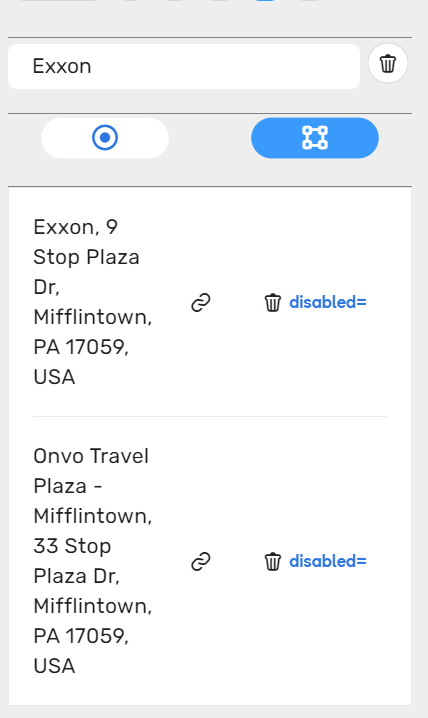
With the latest WME version and the current FUME version, the external providers section gets stretched out sideways. Here is an example: