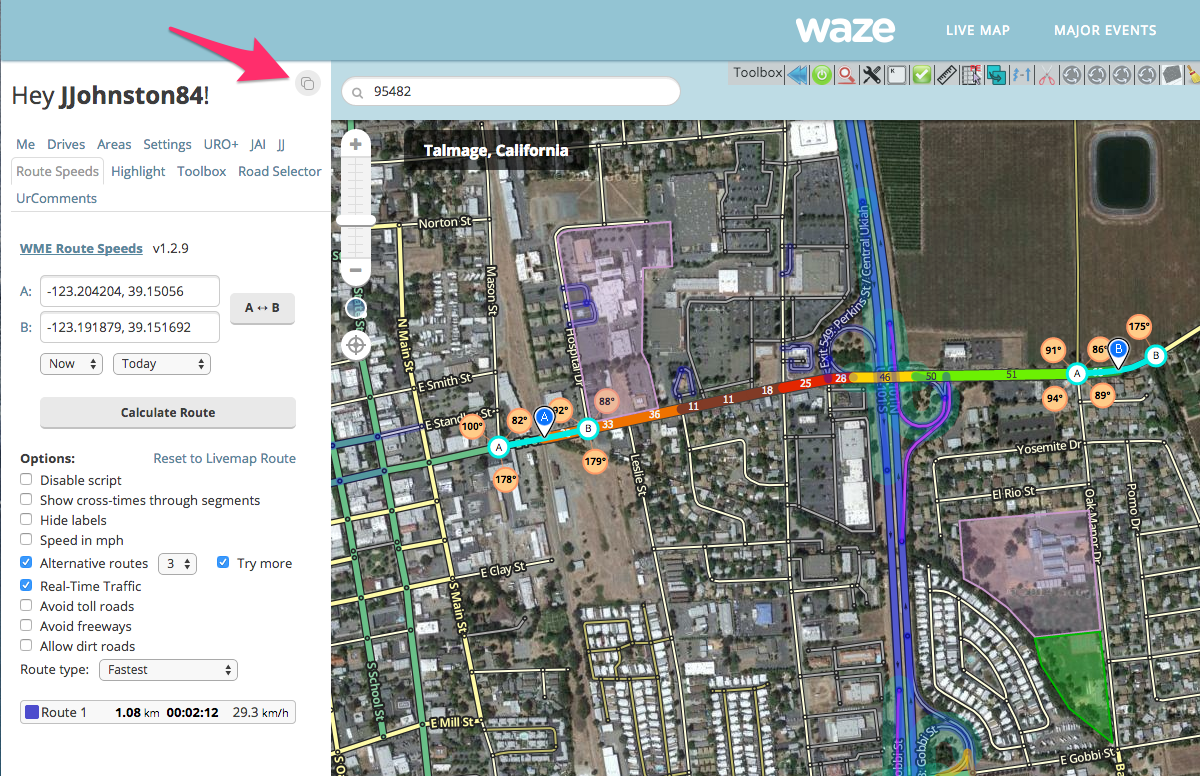
Hi all! This was a quick script I wrote after a discussion with some of the Southern California editors (special thanks to Ottonomy for the idea!). I thought it might be useful for many of you - so I’m sharing it! Feedback welcome!
Description:
This script allows a user to switch between the segment side-panel and the user side-panel (the one with all your tabs) while there are segments selected. This allows you to utilize scripts that have their UI in the side-panel, but might work with selected segments.
Current version: 0.1.7
Installation: Get the script here. You will need GreaseMonkey (Firefox) or TamperMonkey (Chrome) before you can install the script.
To use:
Once you have a segment selected - you can click the small icon in the top right of your WME side-panel to toggle between the segment and user side-panels. Adding or removing selected segments will reset the view per normal WME behavior. This is particularly useful for scripts like WME Route Speeds that act on segments, but have their UI in the side-panel.
This is going to save me a lot of time. I hate losing a carefully made selection because I’ve forgotten to first toggle a setting in a script. THANK YOU!!!
Ah, thanks for pointing this out - it helped me track down an issue. I had two issues that I believe I’ve fixed. Timing seems to be a bit different in Firefox than in Chrome, but I think I’ve tested both pretty well now. Hopefully the problems are resolved.
1.) I wasn’t doing sufficient checking in my bootstrap code to ensure everything was loaded (thanks SAR85 for letting me steal your bootstrap logic!)
2.) I was only responding to changes in selection, so if you loaded a PL with selection already in place, it could fail to show the panel button - depending on the timing of how Waze fired up.
Indeed, Panel Swap is broken. JJohnston84 has been really busy with work lately, so we may not see him stop in here, but tonestertm believes he has isolated the problem, and has passed it on to someone who was working with Jacob in development. There is hope that we’ll have this back soon.
Looks like this script was an easy fix. Bootstrap function was looking within Waze object for properties that no longer exist, yet were not needed to make the script work. I think jjohnson has already released the fix (thanks!).
On another note, is it possible to bind a modifiable shortcut key? That would be awesome.
I must have thought he fixed it when I had gone into the code to fix it myself. Oops! lol
In any case, the fix is actually quite simple here… Just remove some of the checks in the bootstrap function (wmeps_bootstrap())… now i forget what it use to say, but any of the checks that have something after Waze.appPresenter.sidebar.editPanel.??? (replace ??? with other stuff) can be removed… WME Panel Swap never uses them.
The result should look something like this… tho I’m not sure if it actually needs to check all the parents of editPanel <shrug>:
Off-topic - I saw somewhere that there’s a way to get validator to appear at the bottom of the sidebar instead of the top, but can’t find teh reference. Anyone want to point me in the right direction?
Another fix, as I’ve been informed by SAR85, is as follows:
Because the property,
“typeToEditorClass”
of Waze.appPresenter.sidebar.editPanel
has been renamed or replaced with
“TYPE_TO_EDITOR_CLASS”
in the model, simply changing the two instances of the former to the latter gets it running again, and leaves the checks intact.