I LOVE THIS SCRIPT/ADDON. It makes doing SLs a much more visually appealing process compared with other options. Here’s my setup:
Green: !(Has unverified speed limit OR Has NOT speed limit)
Yellow: Road Type = “Primary Street” AND (Has NOT speed limit OR Has unverified speed limit)
Orange: (Road Type = “Minor Highway” OR Road Type = “Major Highway”) AND (Has unverified speed limit OR Has NOT speed limit)
Red: Road Type = “Freeway” AND (Has NOT speed limit OR Has unverified speed limit)
I tried using the expression editor to modify an existing expression with this text in the editor:
(Road Type = "Freeway" OR Road Type = "Major Highway" OR Road Type = mH OR Road Type = PS OR Road Type = St) AND (Has NOT speed limit OR Has unverified speed limit)
It then pasted this as the expression for selection:
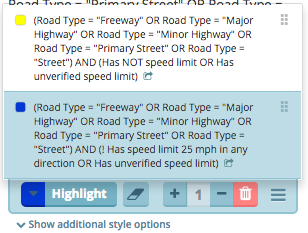
(Road Type = "Freeway" OR Road Type = "Major Highway" OR Road Type = "Minor Highway" OR Road Type = "Primary Street" OR Road Type = "Street") AND (! Has speed limit 22 mph in any direction OR Has unverified speed limit 22 mph)
Notice the end of the expression is not what I was asking for.
Then I tried to highlight using it and got this error:
EDIT: Further debug reveals I had the speed limit field in the Rsel editor panel filled with 22, though I would expect what I type in the expression editor to override that. When I cleared the Rsel SL field, the expression editor and highlighter worked properly without any warnings issued.
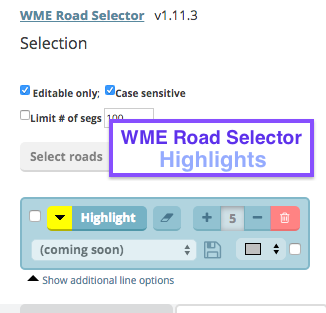
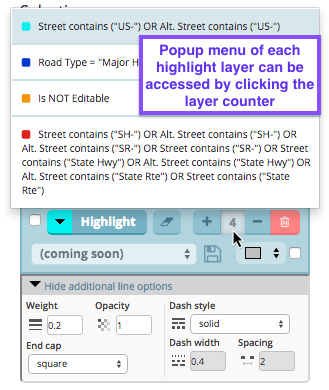
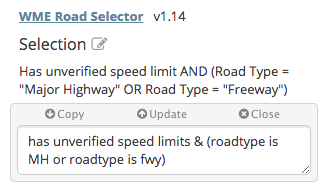
There is also a full WME RSel Expression Editor that was originally made for Highlights, but has since become its own stand-alone script. (RSel Highlights still uses its basic components in the backend.)





 but you did a good job.