What version of Rsel are you using?
Sent from Android using Tapatalk
What version of Rsel are you using?
Sent from Android using Tapatalk
I’m using road selector 1.14
I’m sorry I meant to ask what version of the highlighting where are you using? It has to be at least 0.7.8.x and then of course reload WME after the upgrade
Sent from Android using Tapatalk
What version of RSel Highlights are you running? I think it might be related to the parentheses at the end, which I fixed this morning. It was an error that was introduced from when the non-english char parsing was added. In any case, I recommend forcing an update and I think (hope?) it will resolve.
Hello!
I received an error that “RSel Highlights was unable to parse the saved expression text to exactly match the original expression. Your original selection will be used for highlighting, but it cannot be edited – only deleted. Please make a bug report here.”
The rule I had set was:
This is with RSel 1.14, RSel Expression Editor 0.3.4.1, and RSel Highlights 0.7.8.4. I appreciate any help you can offer! Thanks!
Thanks! all fixed.
It would be really useful to highlight an expression something like:
ID found in “41742092,41744239,41746168,61957170,61957236,61957256,62511987,63840509,76308773,76308781,82565347,82565348,41746077,61915583,41767559,62511991,41742175,62511886,62511877,62511999,41747790,62512034,62511864,61915810,502132370,63205876”
in order to be able to look at individual segments from a permalink.
What’s “found in”?
Sounds somewhat like a SQL query. Basically, if the ID is in that list of IDs, then highlight.
Seems to work already?
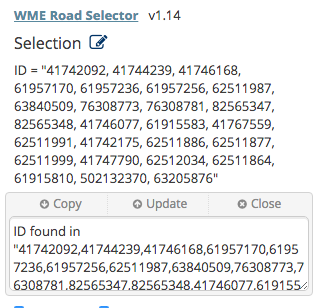
Like this?
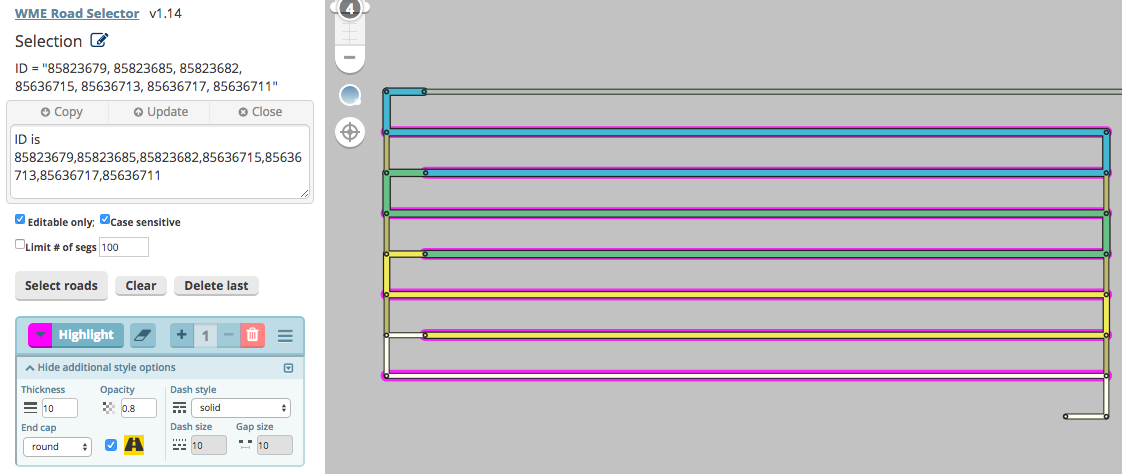
This works too:
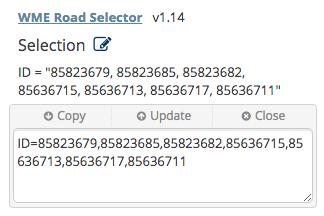
You can even place the entire PL as the string and it will highlight any of those included segments.
ID = “www.waze.com/editor.....&segments=7495838,83938883,44955855,6493939”
Sent from Android using Tapatalk
you won’t be able to paste an entire PL in the RSel Expression Editor though… at least not yet. I can put it on the ever growing todo list… but it might be easier just to paste it directly into the RSel field for segment IDs.
Belated thanks to both of you! I am a late adopter of the RSel pairing (haven’t tried Expressions – yet!). It was so helpful with a particular chore I was dreading and is now done, with less pain than I expected. Whew! 
thanks for sharing that you’ve found the combo useful! 
Is this a bug or is there something I should do different in the expression?
I’m using this expression:
(State = “Louisiana” AND Road Type = “Major Highway” AND Has NOT speed limit) OR (State = “Louisiana” AND Road Type = “Major Highway” AND Has unverified speed limit)
And it highlights these segments:
https://www.waze.com/editor/?env=usa&lon=-92.43981&lat=31.32986&zoom=3&segments=502449320,502449321,502449322,502449323,502449324,502449325,502449326,502449328,502449330,502449336,502449400
The speed limit is set, however, this was split recently, and seems to have unverified speed limits on the opposite direction, which should be inconsequential. I cleared it from one of the segments by making it two-way and removing the speed limit and then switching it back to one-way. But this is the only place in the entire state that I’ve found this problem. I assume it’s because it’s the only thing that’s been split since the speed limit import and didn’t have the speed limits verified before it was split.
Is there something I can do differently in my expression that will prevent this from happening? WMECH does not detect this as not having a verified speed limit.
Thanks!
I guess, you question is in wrong topic :-).
The selection is made by WME Road Selector script but I will reply here.
The condition Has unverified speed limit checks both directions and if one of them has an unverified speed limit the condition is true. It is by design.
You could exclude the segments with the hidden speed with the ! Has speed limit in hidden direction condition. But it is probably not what you want.
I could add some condition like “visible unverified” but I think this is very exceptional case because when you once verify the speed it cannot be set as unverified therefore it is faster to correct these few segments than to add a condition which nobody else will need.
Thanks. I’ll try the workaround. As I said, this is the only place this has happened.
But I’m not sure I understand the distinction between RSEL and RSEL Highlights. I have both, but I thought one was required for the other to work. I’m just using this as a highlighter script. Am I using the wrong script?
RSEL selects segments according the condition and allows creating conditions with the Add buttons.
RSEL Highlights is an add-on which calls the selection engine from RSEL and highlights the corresponding segments.
This means. If you would need the selection only RSEL would be sufficient but you use highlighting therefore you need both scripts.
As I wrote the condition is evaluated in RSEL therefore it is better to ask the questions regarding conditions in its topic. It is not because I couldn’t answer here but the questions and answers could by interesting for somebody who uses RSEL only and therefore RSEL doesn’t read this topic.
To make it more confusing there is one more add-on WME Road Selector Expression Editor. It is written by the same author as RSEL Highlights. As far as I know it hasn’t own topic and the right topic is here.
I responded to this on the WME Road Selector thread since it’s really more pertinent to WME Road Selector than Highlights.