Thanks, lets see if MoM has any ideas. When I click on the button, I get the pop up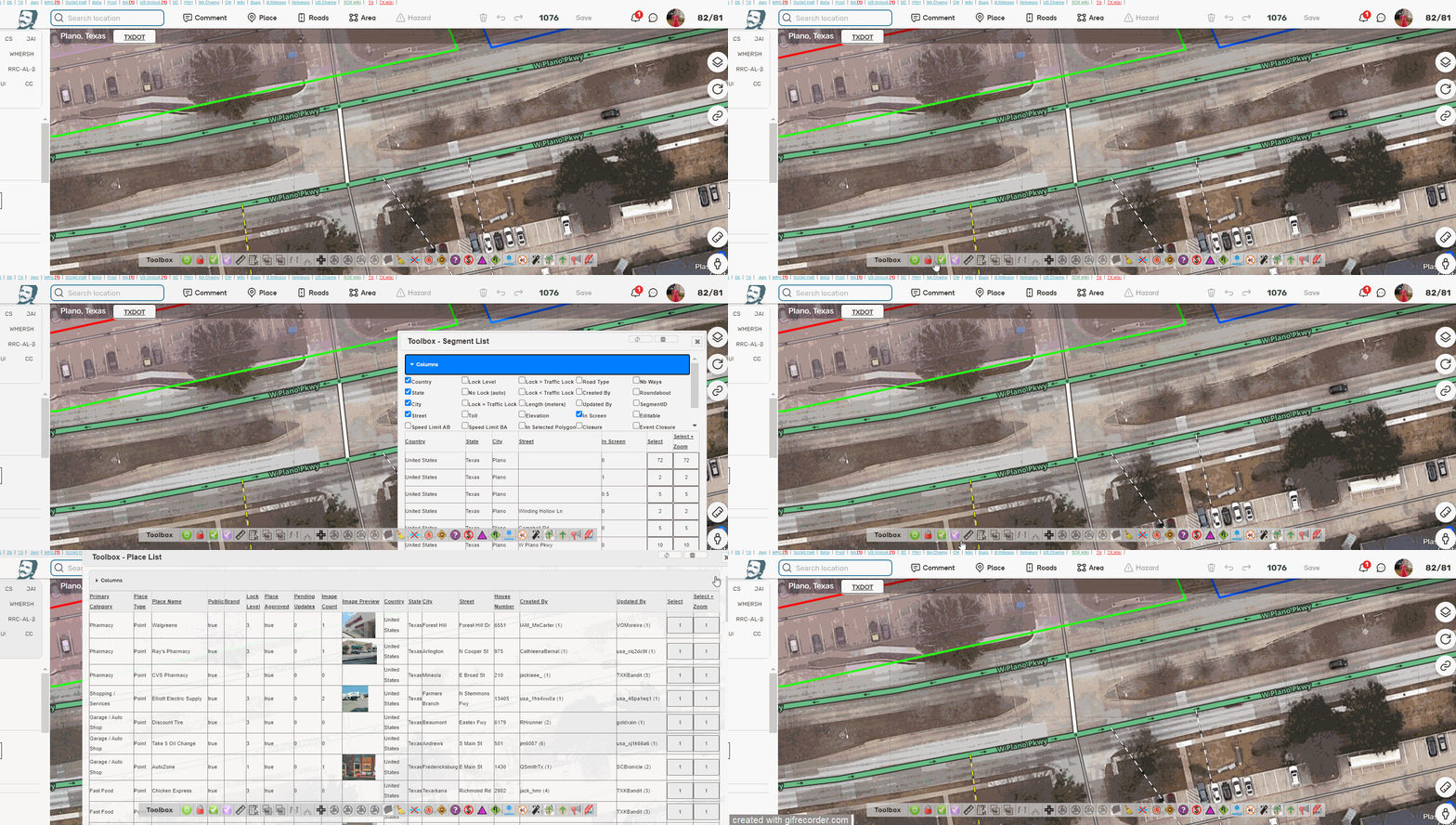
I tried for 3 days to get the script working, after following the tampermonkey instructions and finally got it working. 
I tried initially by disabling all other scripts, and nothing.
I tried with just one script running and it worked. I then enable each script one by one until it stopped working again.
The script that appears to cause TM to fall over is WME-PermanentlyClosed.
I hope this helps.
Disabled all the Tampermonkey addons
removed Toolbox, restarted Chrome, reinstalled
There is no way to see Toolbox in WME anymore.
What’s happening?
regards
You have to have tampermonkey enabled with at least 1 WME script running for Toolbox to work.
Please note as per John’s reply - I had to have just one script running - I then added each script I used until TB disappeared again
Can this be the reason for that!?
WME Toolbox stopped working couple days ago, and it looks that this is the reason


Toolbox seems to be fine for me. Make sure you have at least one WME script enabled in Tampermonkey and double check the CSP setting in Tampermonkey (see https://www.waze.com/forum/viewtopic.php?t=399668 for more information)
Hi jm6087. On this subject, this function worked for 1 day, but today this function no longer works. I couldn’t identify what behavior on my computer causes it to crash. What I have identified is that jquery-ui and jquery-migrate are not being loaded for WME. From what I’ve seen, it’s not necessarily a problem in the script, but some behavior in my browser/computer that causes this. Call me privately and I’ll try to help identify the cause and run tests.
Hi,
Today, I updated Chrome to version 122.0.6261.94, and Toolbox stopped working.
I can run it on Edge.
Does anyone have any ideas on how to rerun it?
Thanks,
Have you tried this setting?
Thanks, that was the problem. When chrome was updated that setting was changed.
Fancy Permalinks were removed?  I’d love to see it back…
Yes it was removed because it was causing conflicts.
https://www.waze.com/forum/viewtopic.php?p=2429131#p2429131
We suggest trying the WME Simple Permalink script. It does the same thing, with the added benefit that CTRL+C actually works to copy the link to the clipboard
The Simple Permalink script almost does the same thing. You cannot force production (or beta) permalinks.
Toolbox v1.9.33
- NEW: Say goodbye to cutting road segments by creating temporary segments! That was sooo 2023. If you click the segment cutting tool (scissors) or use the shortcut key while there are no segments selected, it will enter “segment cutting mode”. There, you can indicate exactly where you want to cut a segment. Hit the Esc key or click the cut toolbar button again to exit without cutting anything. Give it a try. We’re so sure you’ll like it – and we may be crazy for doing this – we’re offering a money-back guarantee!
(Firefox extension attached in the original post. It’s untested, so let us know if it’s not working.)
Since a few days / weeks I don’t get Toolbox working anymore in my Chrome.
I have the TM 5.2 fix en at least one TM script active.
But I can’t get Toolbox activated.
Anyone any idea what could be the issue?
WME Toolbox 1.9.33
TM: 5.2.1 2024-06-30
*edit:
I noticed this was not correct:
For TM 5.2+
Change Modify existing content security policy (CSP) headers to “Remove Completely (possibly unsecure)”
After I changed this Toolbox is back
Thanks, that helped!
Also I found bug: when using “Copy segment attributes” option, “unpaved” parameter is not set
As per today after WME release version 2.242, I have found new behavior (that I think maybe the bug). The cut segment button is not working when there’s no segment selected. The cut button still works if segment is selected first.
Expected behavior
- When no segment is selected, when I click the cut segment button, the cursor will change to scissor.
- I can hover the scissor to the segment
- When I click the mouse, the segment where the scissor is located, will be cut. The junction will be created at that point.
New behavior (that I think maybe the bug)
- When no segment is selected, when I click the cut segment button, instead the cursor will change to scissor, the cursor remains the same (computer cursor).
- Unexpected behavior detected (that I think maybe the bug): no segment can be selected.
- Another worst unexpected behavior detected (that I think maybe the bug): nothing can be added at the map, all adding menus (road, place, hazard, note) grey out.
- Nothing can be done if this happens, I must reload WME
Thanks. I’ll try to get the fix released tonight. With the current bug, you should be able to hit the ESC key or click the scissors button again to exit the broken cutting mode.