yes, you are correct. I click the scissor button (or press 4 [my shortcut key for cut segment]) again for the second time or press ESC key, and it exit the broken cutting mode.
thank you. i don’t need to reload the WME.
thank you for the fix later.
yes, you are correct. I click the scissor button (or press 4 [my shortcut key for cut segment]) again for the second time or press ESC key, and it exit the broken cutting mode.
thank you. i don’t need to reload the WME.
thank you for the fix later.
Toolbox could not start?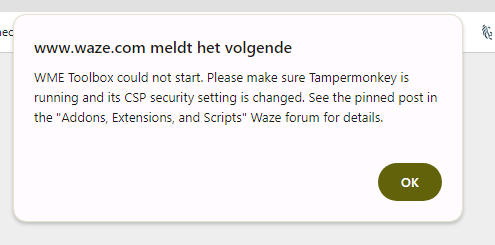
mine is running fine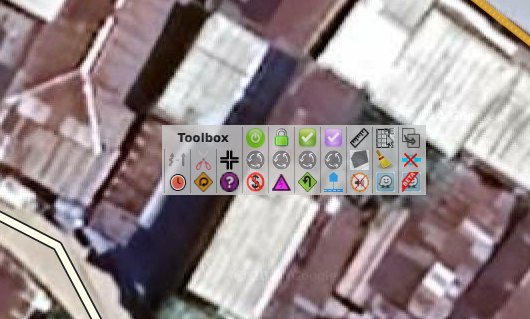
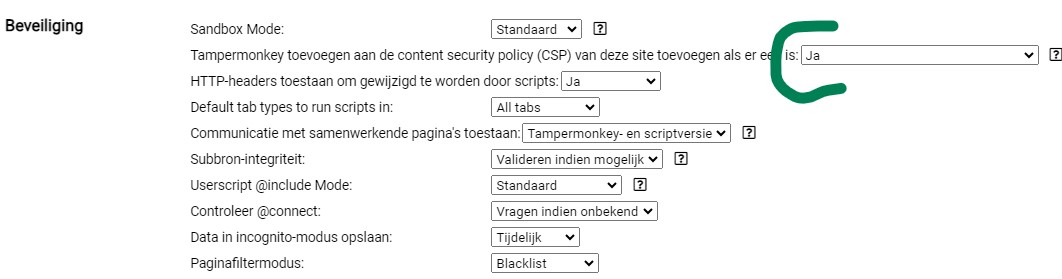
and this is the settings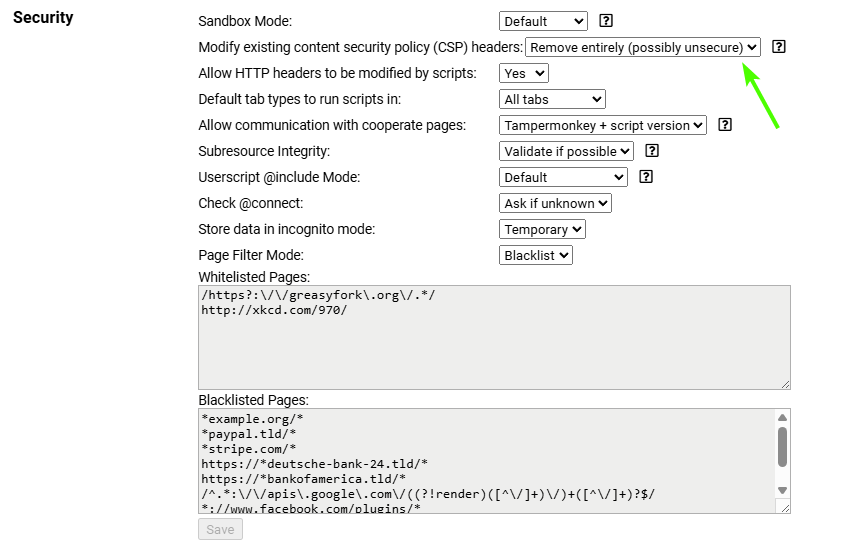
I receive this message occasionally on starting WME, but Toolbox nonetheless does actually start. (My TamperMonkey is 5.1.1 and I’ve set the security level in accordance with the instructions.)
Even with this setting, Toolbox will not start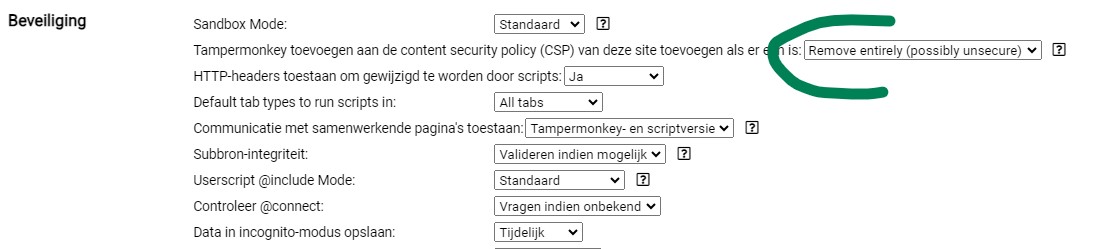
Same thing here, CSP headers removed entirely in settings and TB won’t start, error dialog box did not appear anymore as well.
Running TM 5.1.1 on Vivaldi browser, TB updated (I believe, it updated once after the unify action area update first came out, and now I can’t check TB version as it doesn’t show in the side tab)
With Error detection enabled on GM extensions I get the following error.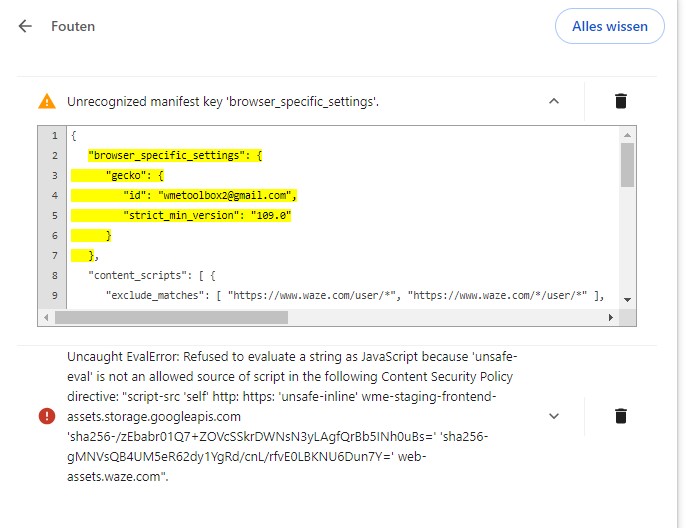
WME Toolbox users:
Please see the IMPORTANT note at the bottom of the original post. As of version 1.9.36 (hopefully available today), you’ll no longer need Tampermonkey, or any other monkey, to use Toolbox. But if you continue to use Tampermonkey to run other scripts, change the CSP setting back ASAP. It’s important for browser security.
thank you. hard to missed one time message :lol:
Hi, since today I’ve noticed that Toolbox doesn’t show me the entire menu and I can’t find where to fix it.
Do you have the same issue with all other scripts and tampermonkey turned off? I am wondering if it is a script or extension interaction or something.
Thank you for your response. We’ll continue the conversation on Discord.
I have the same issue. I just installed the toolbox and it’s not showing at all for me. I tested turning off all other scripts in tampermonkey but still the same issue. I have Firefox with version 130.0.1
ToolBox is dead and buried on Firefox, unfortunately. Move to Chrome if you still want to use it.
Of course not. Latest 1.9.33 works fine
Not working on FF here, for months. It’s installed, loads without error, but it simply don’t show up. Tried every workaround I could find.
Did you try to change the security settings in Tampermonkey like mentioned in previous post?
Hello,
Thank you for your tool.
I’d like to suggest an improvement, for the colour display option to distinguish speed limits, is it possible to add an option to choose which colour we want for each speed?
I’m slightly colour-blind and this would make it easier to distinguish colours.
Yours truly,
Yves
It looks like the dowload link is no longer working after the forum migration.
I can see triangles of reverse connections on my office PC, but there is no a checkbox to show the triangles on my home notebook. As I understand, the installed version 1.9.36 of the Toolbox is the latest one. Where could be the problem?