Hi Everyone!
I am super excited to let you know of some really cool improvements in the toll tool!
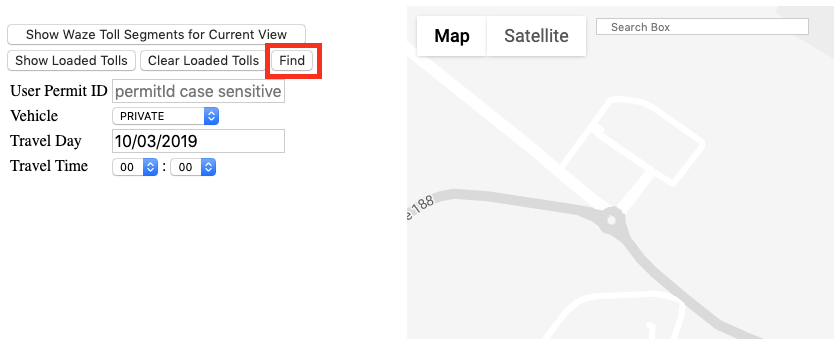
You can now find exact roads in the playground thanks to the “Find” button
How to do it?
In the playground screen, click on the “Find” button
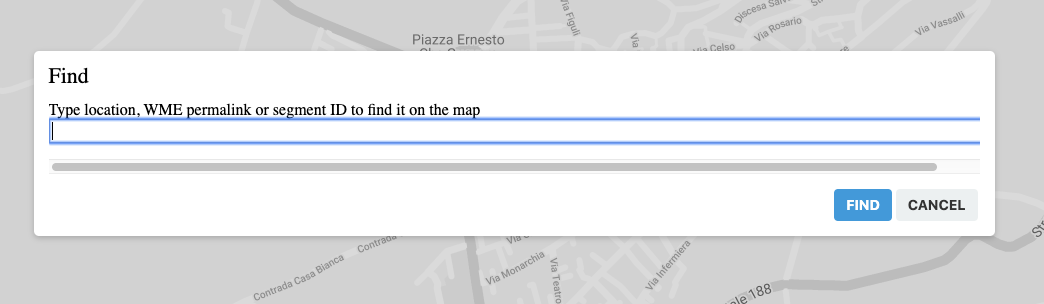
Insert the location, WME permalink (even with multiple segments) or segment ID to find the exact location on the map
You can now create multiple segments at once with one permalink!
How to do it?
Select the segments you would like to create in WME and copy the permalink with multiple segments
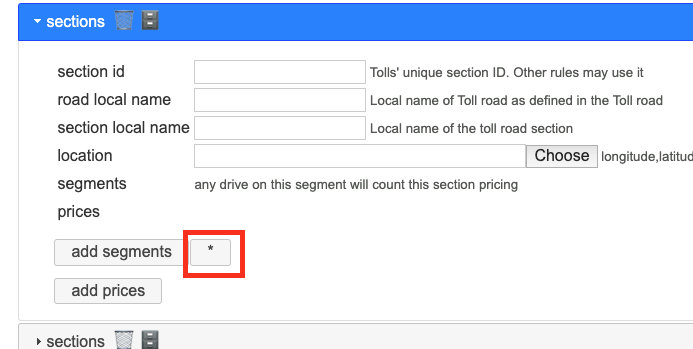
In the toll tool, under the section tab, click on the * button
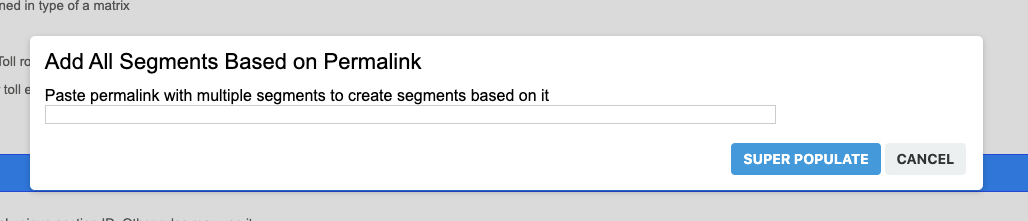
Paste the permalink with the multiple segments you want to create
All segments will be created at once
Thank you for the precious feedback and the great suggestion you keep sending to improve the tool!
Happy tolling!
Tamar
moweez
October 3, 2019, 11:31pm
2
The Venue (ID) is now taken out of the code?
It now gives an error opening files where these values were inserted …
witoco
October 4, 2019, 2:43pm
3
Indeed.
If it was removed forever, I’ll have to change my tools to create JSON files directly from our tolls spreadsheet, and rebuild the related WME plugin I wrote to populate that sheets. Oh!
moweez
October 6, 2019, 8:24am
5
Problem is also that all files in tool that has venue IDs, are loaded with error. You have to click “ok” for every venue ID in the list if opening!..
Perhaps mass edit the existing files skipping those lines? So the venue IDs stay in for future reference but not giving an error anymore?
Hi Everyone
Thank you for your feedback regarding the new feature in the tool
We brought the “venue_id” back to the tool and it will be removed again once the popup issue will be fixed
Thank you
moweez
October 6, 2019, 2:13pm
8
Thank you!
the multipopulation and finding segments is a great addition.

 , of course you can revise and manually edit them.