Help!!
I have a road in Great Baddow, Essex - Buckthorn Road, that has been in the editor for some time, but when searching using the Waze app, it can’t find this road. It is clearly in the live map.
Any suggestions on what is (or I have done) wrong.
Simples, because the road isn’t present in Google Maps. Or, at least, the road name isn’t present in Google Maps (the road itself is present as an un-named road). So until either the road name gets added to Google Maps (and I’ll see if I can request this shortly), or until Waze finally cuts this tie to Google and starts using its native road database for doing searches, this road will continue to be unsearchable within the app.
This problem was mentioned at the UK Meetup. It isn’t entirely true, although the absence of roads from Google Maps certainly seems to make them more difficult to locate.
At the Meetup, the only example I could think of was pretty old. Well I have been presented with a need this week to navigate to a road that I created 4 years ago, including house numbers. As usual, I was unable to find it in the app. However, I persisted in trying different things until I was able to find it. The key turned out to be including the county.
If you type in “Buckthorn Road, Essex” (with or without the comma), and then press the Search button, the app will take you to a useless list of places with the name “Essex Road”. But if you then move the the “Search Results” list (button at the bottom of the screen), you will see “Buckthorn Rd, Great Dunmow” is first on that list.
Ian - since you live in Essex, I would be interested to hear whether you encounter the same problem, even if searching from within the county.
Is that acceptable? No. You shouldn’t have to jump through such hoops to find it. But at least we know it is searchable. We also know the problem lies in the hands of the App team. I know of know way to influence them over problems with the production app - and I’m not a beta tester and am not familiar with reporting problems via the Beta app route; although I hear that they may occasionally be responsive to such reports. :roll:
Iain, good point, I’d forgotten that forcing the app to run a full search would then allow it to find native street names without the aid of Google.
You’re also correct to suggest that the location of the phone at the time the search is run influences the results, but in this case it only influences the full search results - until the streetname data gets added to Google Maps, nothing will be able to influence the realtime search into returning the desired result.
And yes, your location does also affect whether or not you need to include any “steering” search terms such as the county or city name. On the spare phone I use for testing the Android 4.x app, this morning it’d started up with its location somewhere in Gateshead, and a search for just “Buckthorn Road” gave a handful of results from the north of England. After resetting its location to Uxbridge and repeating the search, the Great Dunmow result was then top of the list.
Hi Guys, thanks for the information, I now remember it being discussed, but like several of these issues, it does not sink in until I have seen an example.
Iain, I have just tried this from home and get exactly the same results, nothing useful until you hit the search result button, then top of the list.
If I now understand this correctly, every time we add a new road in Waze, if it is not already in Google, we need to request an add there as well to make it work properly in Waze. Sounds like Google are getting cheap labour to get their updates.
As the road in question is part of a new estate, I guess I now need to go check all the roads are in Google.
I found that if you don’t put a house number in front of the search it defaults to the ‘Places’ tab when selecting ‘more results for:’. I think ‘Places’ is just a Google Maps search.
If you do put a house number in, it defaults to ‘Search Results’. Which is a Waze search.
I did show Dudu this behaviour, and he did say that wasn’t correct. It should default to the ‘Search Results’ tab.
As far as I could see based on the site plans, all of the road layout is present in Google Maps, but none of the road names are currently set.
As noted above, my request to get the Buckthorn Road segments named is now in the review stage, as is the request I submitted at the same time regarding the adjacent segments of Almond Road. However as this is the first time I’ve tried getting a road name added/changed in Google, I don’t know how long the review process takes - it’s certainly significantly longer than the near instantaneous acceptance of place updates whenever I submit those…
Sadly MapMaker is no more, so all we can do currently for roads which don’t even exist as unnamed segments in Google Maps (as in the case of these Wantage ones) is submit a rather ambiguous “missing road” feedback - there’s no facility to even sketch out a rough shape of the road, you just get to drop a marker pin where you want to indicate the missing road is located, tell them what the name is, and provide any additional notes you can think of. Which I’ve now done.
In this case, at least the roads are clearly visible in Google’s aerial imagery, so it ought to be relatively obvious what the segment geometries/connectivities need to be - one can only wonder just how difficult it’d be to get a new road added to Google Maps without it appearing at all in any of their other mapping data…
I believe the livemap search also refers to the Google maps database, not Waze.
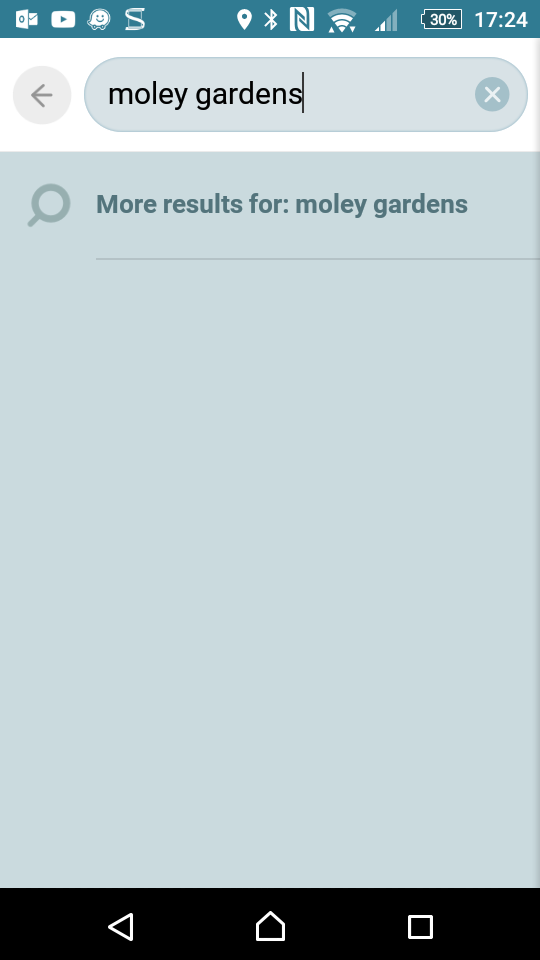
On the app, if you search for Moley Gardens, nothing comes up in the auto search:
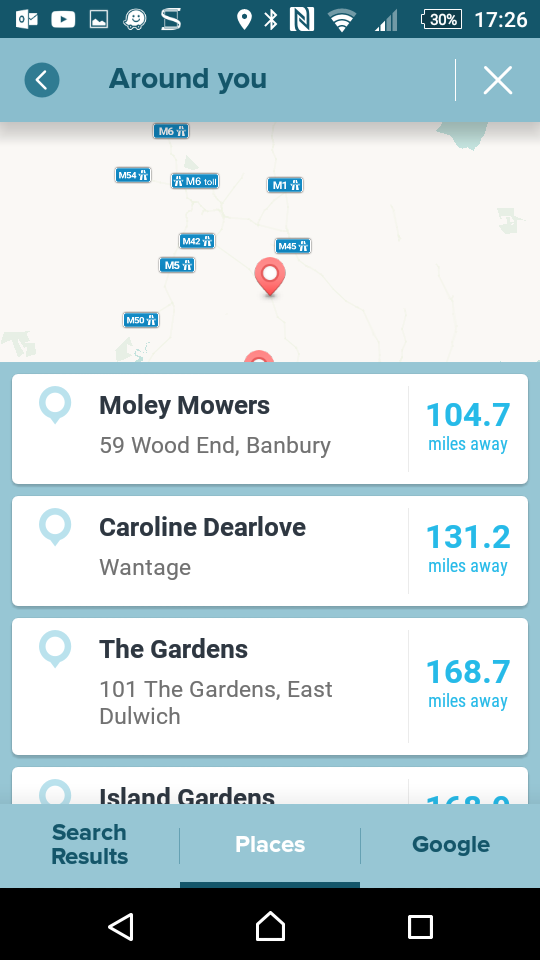
On clicking on More results, Waze defaults to the Places tab, and again, nothing found:
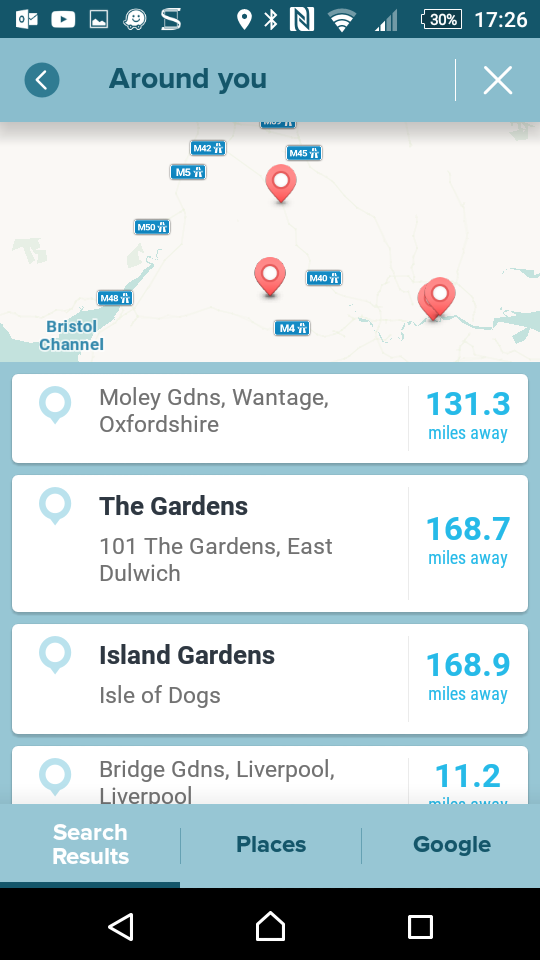
On clicking on Search results, which seems to use the Waze database, Moley Gardens is the first entry:
As far as I’m aware the app should not default to ‘Places’ (confirmed by Dudu at the meetup). If you put a house number in front of the search it does default to ‘Search Results’.
If you’re referring to them not appearing in the Livemap search, see Keith’s answer above. If you’re referring to them only being partially visible, then this appears to be due to the way the estate has been mapped out over time in WME - looking at the segment creation dates and assuming a few things about how the estate may have been edited over time (sadly the segment history doesn’t reveal everything here), it appears that the visible western end of the estate got mapped out in mid-2016, whereas the mapping of the eastern end was only completely more recently and has yet to make it into the Livemap tiles.
Perhaps it is just me missing something here, but I thought the livemap tiles updated in line with the International tile updates and these currently seem to be back to every few days?
I am sure changes I did in WME used to appear in livemap line with these, but recently I have noticed several changes that I did a week or so ago have not yet appeared. :?
Livemap visual updates are a separate thing. The terminology doesn’t help, as we routinely refer to the livemap being the same thing as the map used by the app for routing.
The updates we see on status.waze.com are commonly referred to as tile builds. This is the process where the livemap tiles are built from WME. Any tiles changed in WME should be updated during a tile build. A percentage of theoretically-unchanged tiles are also built, to ensure that the whole livemap is refreshed frequently. The livemap is what is used for routing.
What you see on the livemap page is set of visual tiles that are built from the livemap. These tiles are only visual to act as an interface, since the actual livemap has no visual element. If you select two points in the livemap and ask for a route between them, what you see is irrelevant. The two pairs of coordinates are passed off to the routing server which returns a route. If the visual tiles are not up-to-date, you will see route lines that apparently use segments not visible on the web page.
Normally, these visual tiles are also built when the livemap tiles are built, but it is a separate process and it has been known to fail. Sometime in the last couple of years, the livemap ended up being visually months out of date. Currently there are known issues with the visual tile building. HQ thought they had it solved a few days ago, but champs are still reporting discrepancies, particularly at different zoom levels. So if you are noticing edits that haven’t appeared on the livemap, that’s the problem. If you click in the right place, you will probably find that the segments exist but are invisible.
Ahhh… so thats why this new Barratts estate that I mostly added 2 months ago does not yet appear on the live map, and as you say, you can fumble your way around and click on some invisible segments… thanks for the explanation
I can see what I assume is an earlier layout with the roads partially mapped when I go to Livemap - but I can see the current layout when I zoom out … just!
They seem to appear briefly when you zoom in/out … weird :shock:
I’m guessing the tiles for the different zoom levels get updated separately? I’ll do another edit there to try and trigger another update.