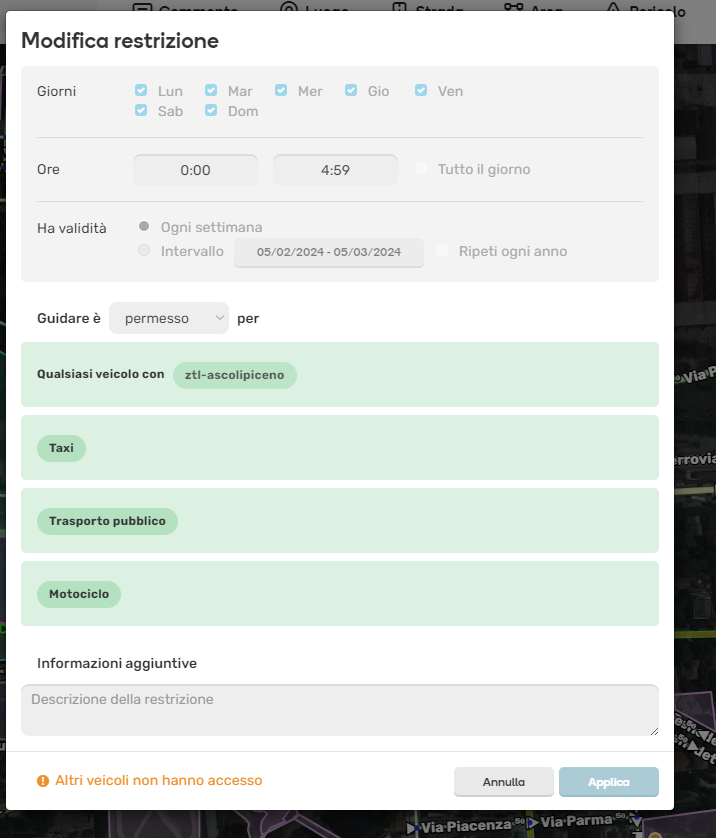
Thank you bedo2991 for the report. We will review this issue.
Updated: The team revisited the area and identified a deprecated format, where one restriction covers multiple time frames instead of a restriction per time frame, as initially expected. This deviation occurred because another tool for managing RDAs was used, which didn’t always align with WME’s best practices.
We can display such restrictions in WME but we don’t allow editing them since it may lead to overriding of parts of the restrictions that are not fully visible to the editors.
If you need any changes, please inform us, and the team will implement them using the code.
At the moment no changes are needed, but things will change somewhen in the future.
Would it be possible to create a new “normal” area and get rid of the older ones?
I would do that, but I can’t select the permit ztl-ascolipiceno on a new area (it is not in the dropdown list).
Sorry Nataliia for the delay, I was on a trip. I see now that this was already done by someone else and that now it’s possible to select the permit from the WME.