Same for me, WeeeZer. I don’t feel the need to get an email every time somebody responds to some topic that I’ve posted in … but I do like to get notified of PM’s, so that I can address these in a more timely manner. (Plus, I get my email primarily on my phone; I can address a PM there easily enough, but I don’t like using it for the main part of the forum. And no, I don’t Tapatalk.  )
)
I wasn’t getting PM emails, but they are back now (as of yesterday).
Just a small update. I discovered something strange…The problem I described above, still exists. Also after a clean install of Tapatalk. Browsing the forum anonymous works fine. So I made a new profile with my testaccount…then it works fine. Switching back to my normal account results in the same problem…why o why?!
Under Italian section.
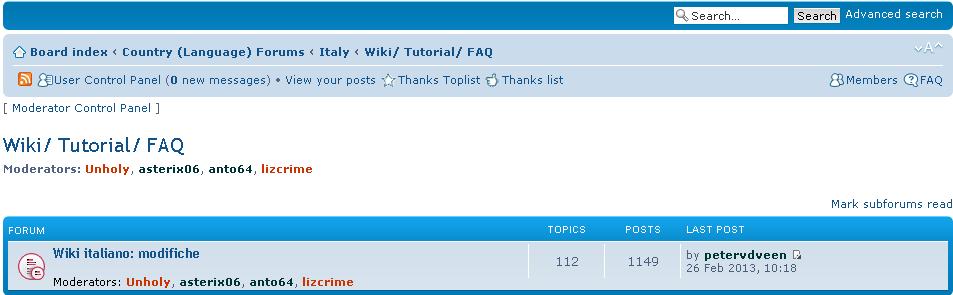 Look at this LINK
As you can see, last post in “Wiki Italiano: modifiche” is by petervdeen (when he was wrote anything inside our area?).
Clicking on the “Wiki italiano: modifiche” link, there are no post by petervdeen.
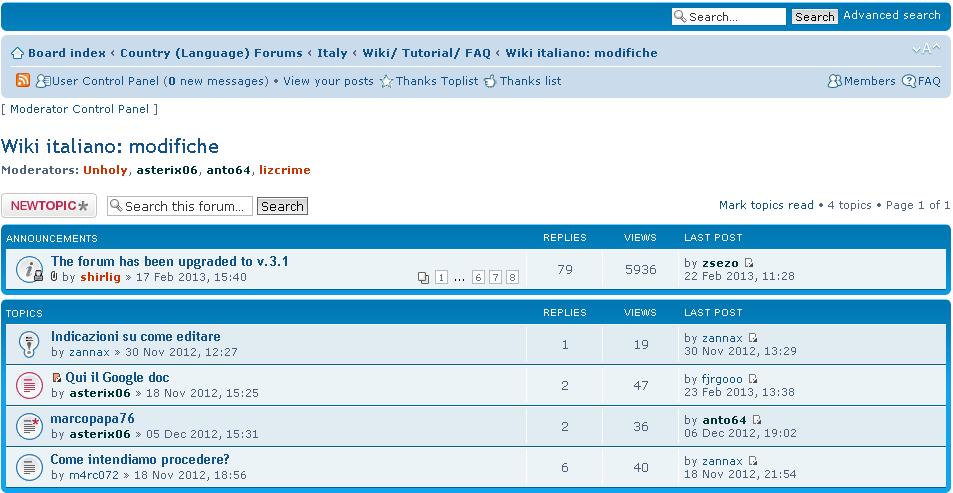
If I click on the icon “view the last post” near “petervdeen” nick, I find this thread…
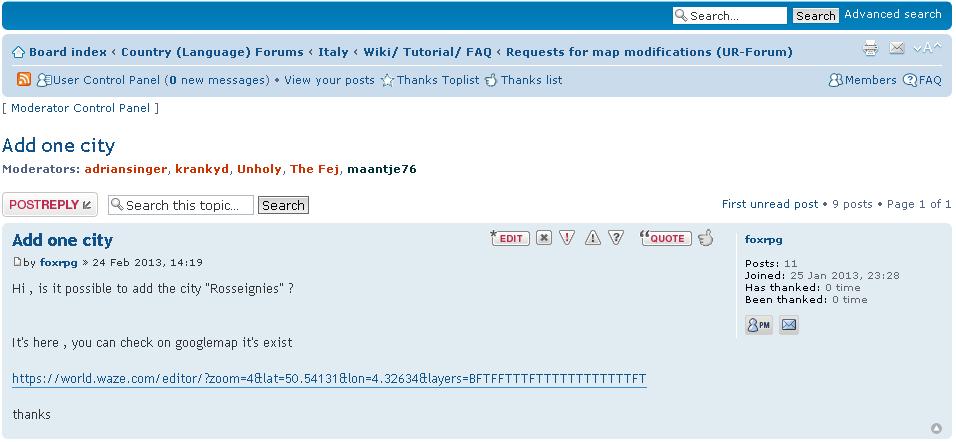
…where we have no “request for map modifications” thread… :shock:
Paolo
Correct.
This is on the fix list, but it’s probably a bug shirli told me.
In Tapatalk my favorite forums list still doesn’t show forums with new posts in bold. I don’t see this bug on the list either.
I’ve added it to the list.
Got my email for PM message back. Thank you.
Sent from my iPhone using Tapatalk
I’ll hope I get more info tomorrow about updating TT plugin.
Is there any rhyme or reason to how the “resolved” functionality is applied? It seems to be in all the expert forums. It should be available in all, IMO.
Tapatalk made me do it.
Malaysia forum should be place after Lithuania if follows alphabetic order

The forum still suffers from significant challenges related to posting attachments. Both native in the browser and from Tapatalk. Just try attaching two images in a single post and place them inline. Fails 100% of the time for me on one or both images.
I was just coming here to post that. At first I had issues leaving a blank description – if it was blank it would fail 9/10 times. With a description added I was closer to 100% successful. But today even with a description I am only having luck half of the time.
It is obvious that others have issues as well since many posts have a filename inline with the text where there should be a screenshot.
@kweeheng
Listed.
I have noted that this is possible. However, I’ve seen two images I attach have only one appear when hitting Submit only. I have had better luck with not placing them inline first. But even then, I’ve Edited my post and put one or more images inline, and then had them “randomly” disappear with the “this file is no longer available”-type of message.
I think, for now, I’m sticking with imageshack.
Any word on fixing “Participated” view on Tapatalk?
I wish they would…I’m heading to California tomorrow and it would come in handy so I don’t have to wade through all the New Posts just to keep up with the stuff I’ve been involved with.
Only to confirm that PM’s email doesn’t work…
Also the new messages advise(near User control panel) doesn’t work… Someone had this problem too??
I suspect that the image files are actually disappearing from the server on which they are stored.
I am not sure how you have been ‘attaching’ the images.
I have had success by manually putting them on a server to which I have access and then inserting the link into my forum post. As long as I leave the file on the server, the image works in the posting.
This appears to be solved now