Is this a…:
Standard bug Steps to reproduce this issue:
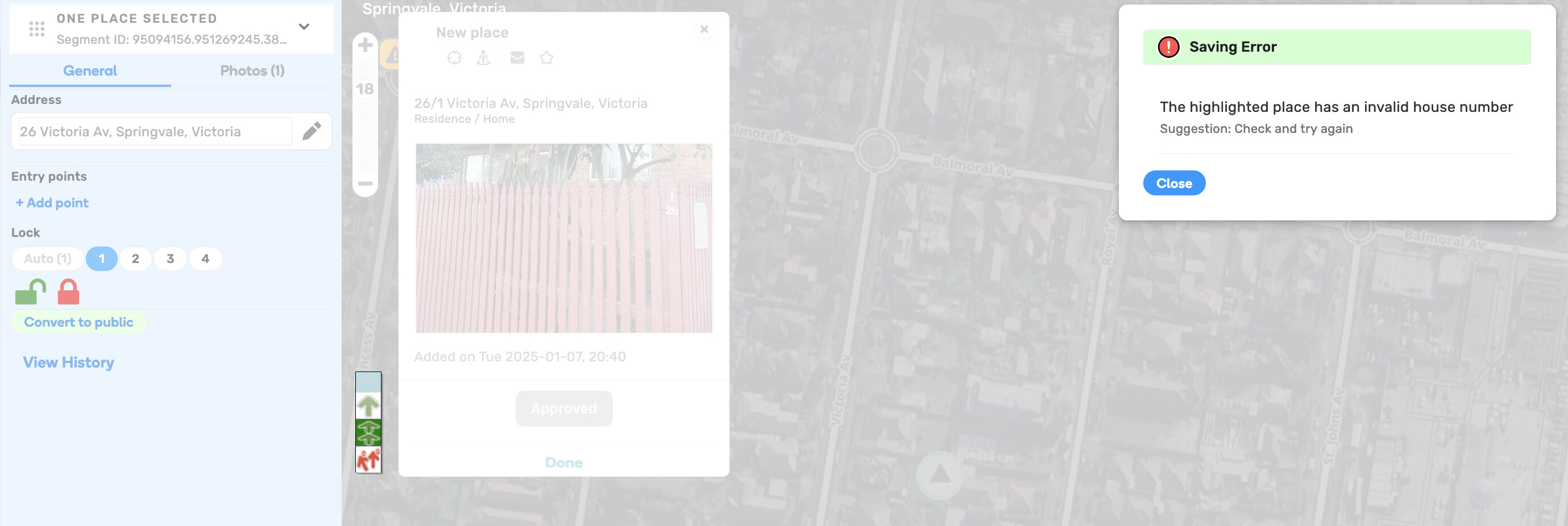
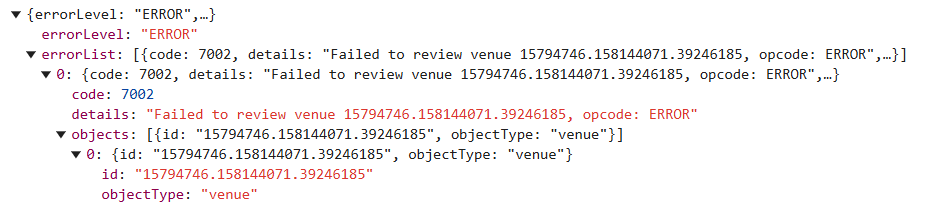
A user has submitted a request to add an RPP that contains “26/1” as the house number. Because RPPs can’t have a slash in the house number, it is impossible to approve it in the WME. I get the error message “the highlighted place has an invalid house number”.
Even if I manually change it to just “26” (as shown in the screenshot), I still get the same error message. As a result I just cannot find a way to approve this RPP.
I’m facing a similar issue, trying to add a Residential Place Point (rather than approve one), but it fails. Other place types allow a house number with a slash in it, but RPP doesn’t, which prevents me from resolving an Update Request. In this particular case the destination target is on an adjacent street so using a House Number instead of a Residential Place Point doesn’t work.
Is there a timeframe for being able to add house numbers with slashes in them for Residential Place Points?
Was there any HN activity for this number prior to you trying to save? I’ve seen this error before if it’s essentially the same or similar to what I’m thinking. The workaround that I know is to wait a TU or 2 and then re-submit. Usually works.
@TimAThing@ypcyc thank you for your examples, I have passed your input to the team for further investigation. No particular updates for now, but as soon as they arrive, you will be notified.
Thank you for your feedback! Can you provide a bit more context for the error you are referring to? It might be tricky to recall it now, but if you ever come across it, please let us now in this post.
Please take a look at the user report that is right in this area.
This will explain everything going on… the address marker that we got it solved now I believe but it’s 7301…
Right now just waiting on the two tile updates to process before I can go back and I’m sure with the reporter that everything has finally settled here.
There was another editor that put in the correct information, but it was based off of outdated GIS #DATA, and trying to get that corrected with their inputs was a nightmare. So I had to end up erasing what they did and then input mine.
I’m sure if someone is able to go back into the server or what not and look at all of the work that had to be done here before I got processed today, it’ll help explain things.
The other editor, all of their inputs were completely vested, so I should’ve been able to work with them with no problem, but I had severe problems, and like I said, had to end up, erasing their work and doing mine
@MeridianHills thank you for sharing the details of your experience, it is very helpful indeed! I have passed it to the team. There is an update there, so hopefully we will be able to see some improvements soon. I will let you know once we have more information.
I just followed up with the reporter, they’re stating the instructions are much better and are satisfied with the result.
It would be great to have an answer as to why fixing this RPP issue was very difficult though.
Like I said, previously what the other editor had done… was already two tile updates vested. It should’ve been just as simple as moving their RPP placement down the private road… but as I’m sure you guys can see on your end it took a lot of trial and error to get this locked in to what it is now.
Before I close the report, do y’all need it to remain open for anything?
My issue is slightly different but might be of good information for you.
HN was stopping on the main road, UR needed a PR drawn back to their easement and easement for other properties. New build house but used HN from prior allotment, RPP put in place based off of GIS data ( turns out it was outdated) but the edit was vested. The RPP needed shifted about 500ft. I was not able to move the original RPP that was placed… checked Postal City, Actual City. Alternate names on main road segment. Oh, I ended up removing the original RPP done by another editor, I put mine in, but it was not letting me get close to where it needed to be. Again after doing a bunch of trial and error what I ended up doing was moving the stop point ( entry point) little by little ( as well as extending the PR) and then the actual marker little by little. However, I still couldn’t get any closer than about 100 feet from the property. The homeowner is satisfied with the edit.
However, the original RPP, even though it was based off of a bad GIS #DATA pin it was completely vested, and the only thing I should’ve had to do was just move it.
After getting it finally sat then I removed all of the HNs for the segment
I’m also seeing in my area that just approving HNs are getting flagged for invalid house number, even though it is absolutely correct. This isn’t just happening to myself but to other editors in Indiana. Is this a growing issue?
First of all, thank you for your detailed feedback regarding RPPs. We are currently awaiting updates about the fix, as it might still be in the release pipeline. I will let you know once there are more details.
As for the other issue, would you be able to provide any permalinks to these flagged HNs? Thank you for bringing this up.
I think this is an unrelated issue regarding the placement of RPPs and should have its own thread. This thread is about the fact you can’t approve an RPP submitted by a user in the app when the house address has a slash in it. My issue can’t be solved by just waiting for a tile update and trying again.
For this report, the problem was RPP for 7301. 7297, and 7309 and the HNs that preceded them. However all over my area were seeing more issues itgh . 7301 is the one that the reporter flagged for assistance. The RPP still isn’t in the correct spot that the reporter wanted but it was close enough that it was suitable. We can’t move the RPP any further. https://www.waze.com/en-US/editor?env=usa&tab=feature_editor
The reporter tried initially, they then submitted to Google and Apple and got it approved through them but couldn’t with us. Another editor started the report a week prior to what I had and had poor luck. I mentioned the TU to see if anything further was needed after my inputs. All the inputs from the prior editor had to be erased and what I did took two days to get to where it is now, but it’s still not in the correct spot technically. Our issues albeit with different faucets, sounds like they are still flowing toward the same drain.
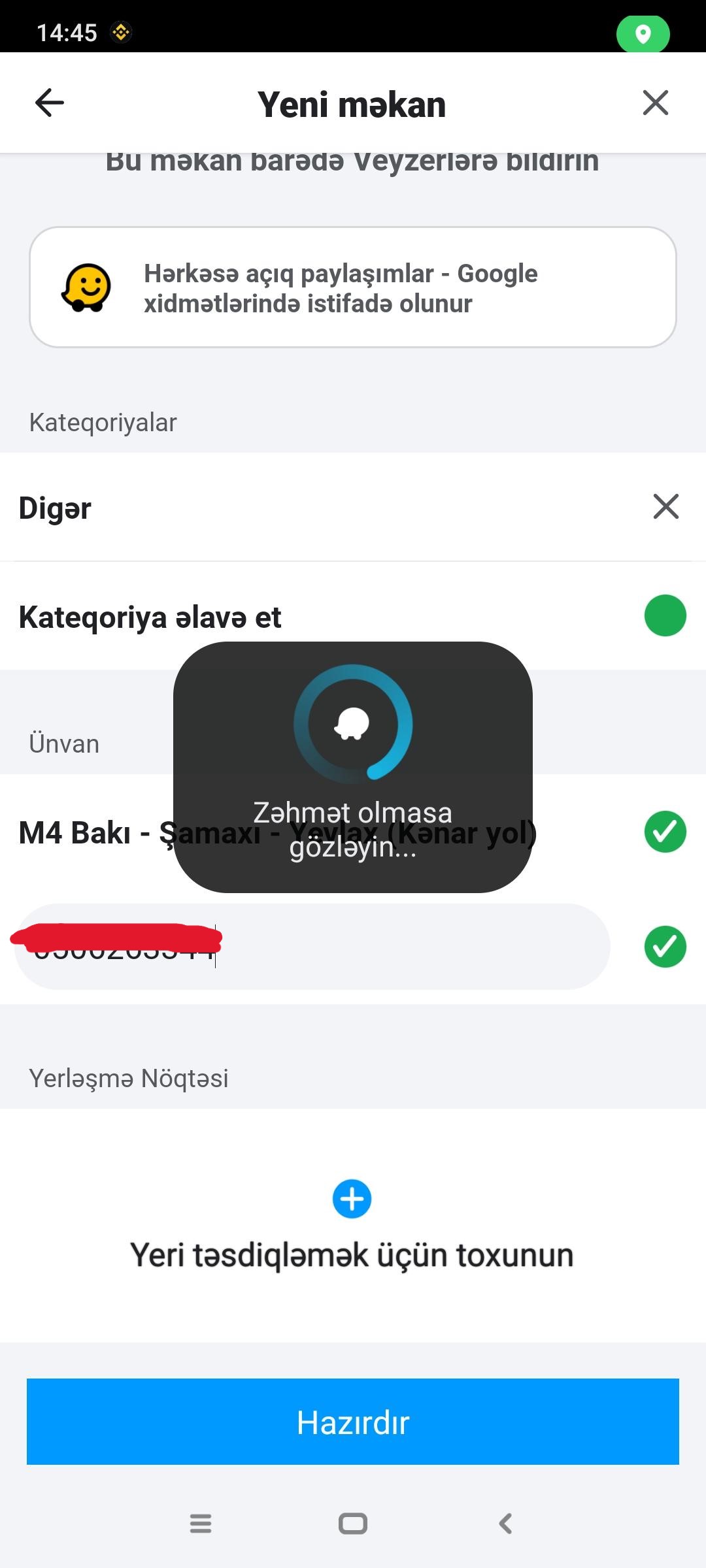
There is another scenario that I want to add about this problem. It shows that there is no address. But in fact it has been added. However, I think the user has saved the phone number in the home number section (for some reason users confuse this a lot). Because I took a screenshot from the user about this. In the video, it is seen that there is no address. Moreover, it is not possible to intervene, or I just couldn’t succeed. Just watch the video (Video expires in 2 days ):
 ):
):