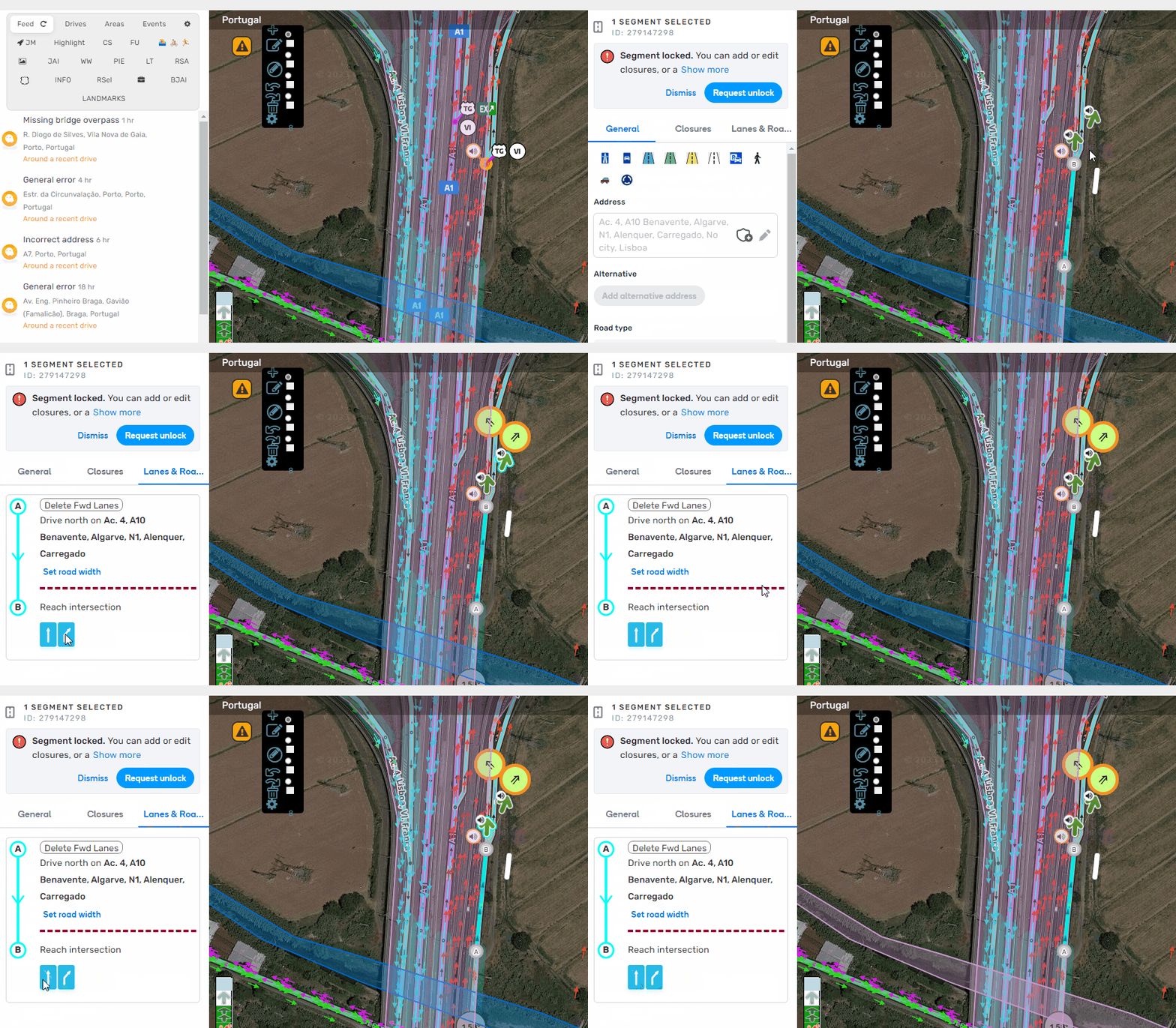
Lanes: we enabled a possibility to highlight all paths when hovering turn signs.
WME Left panel alerts: now we show only one alert in case the user is blocked from editing.
We enabled a few style changes to the user profile and added a badge, which displays the editor’s level.
A tooltip for the EV charging stations was added.
Bug fixes:
We’ve released 2 bug fixes:
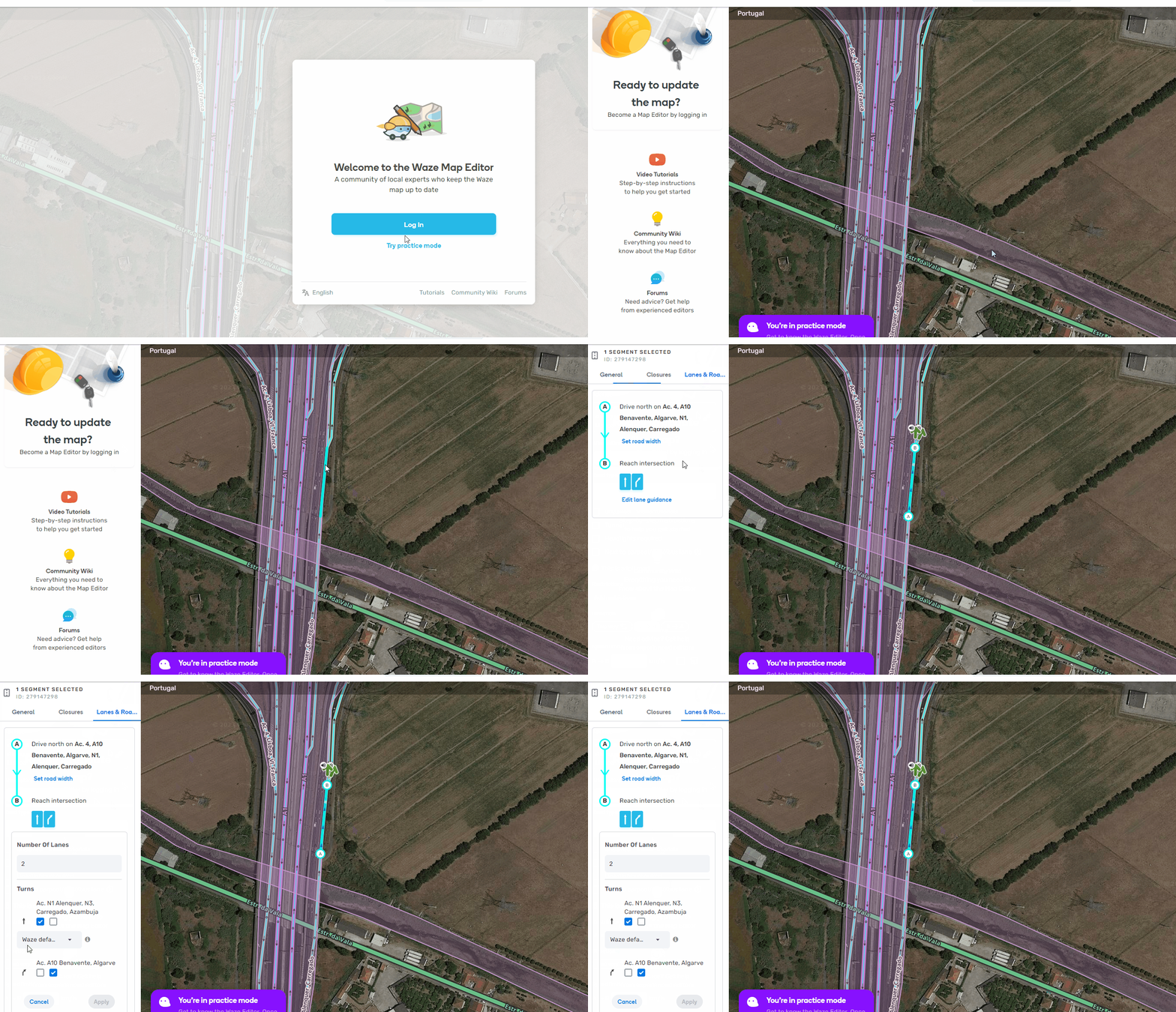
Practice mode video tutorial iframe doesn’t load correctly.
Lanes not highlighting arrow on hover.
Updated: Just to explain why we included this item to release notes: this bug was reported in the latest WME beta version (beta 2.129), the team fixed it before it reached the production.
This is not really a problem with this version, but something that I consider a “feature”: I never understood why, being signed in, I can’t see lanes on a locked segment but if I try to see them on “Practice mode”, then, I can see them!!!
As an editor, even not being able to edit lanes on a particular segment, I think that we should be able to see how lanes where implemented. This would allow to evaluate how lanes where implemented and, who knows, detect any particular error!
I can see all the functions (turns, speed, shields, even road width) of a freeway (level 5) except for the lane guidance. I’m working a UR that reports incorrect lane guidance and I have to go into Practice Mode to see the lane guidance because I can’t see it logged in as a level 4 editor.
The decision to push the search bar to the right is a curious one as it puts too much white space between the logo on the left and search bar and buttons on the right. If anything, any space should have been left between the bar and the buttons in the middle as before. I hoped this would have been changed in beta before going to production. Of course this is variable based on screen size, where some users with smaller screens will see less white space in the top bar than others. But the search bar shift to the right significantly changes the feel and flow of the editor.
This bug was really reported only in the latest beta and the team fixed it before it reached production. I will update the announcement text. We didn’t release a new WME beta version this week so I included information about the fix to this release notes.
It makes sense to me—put it close to everything else on the top bar that’s touchable, instead of in its own land. Sometimes it’s worth taking a few days to get used to a change.
Or just do as FUME now enables, and make the search bar fill the remaining space in the top bar - that way you provide the benefits of being able to click into everything on the right hand side of the screen, without messing with people’s muscle memory when they expect to find the search bar over to the left…
Well I’ve been ranting a lot to my local community about how badly previous versions of WME, so it’s only right that I voice out my appreciation here for the massive improvements on performance! Thank you guys