We’ve just released a new version of WME prod, v2.232.
:idea: Note: To stay on schedule and to avoid delaying the release of Map Clusters, Orientation on first login, and the Removal of ‘my own suggestion’, we decided to release the production version with these known issues. We plan to hotfix them promptly. I will keep you posted!
Below you can find a summary of the release.
Known issue:
Remove my own suggestion: The status of the suggestion may temporarily display as “Awaiting Removal” after clicking the “Save” button. This can be resolved by refreshing the page.
2. Venues - Layers: venues with PURs remain invisible with the venue layer turned on. Work around: Refresh the map or select a PUR pin/card.
Venue categories: To assign the main status to a category, you need to delete the other available categories and move the desired one to the first position. New features/enhancements:
Map Clusters: We are excited to announce the opening of the Map Clusters feature for testing in this WME version.
Orientation on first login: we are releasing a new feature to help new editors to easily find themselves in WME.
Suggest an Edit: Remove my own suggestion - added.
Suggest an Edit: we updated the notification displayed when encountering errors when viewing suggestions history.
Closure status: highlight closure You are Viewing - enabled.
6. Venue Categories Selection: We’ve updated the way you select categories, introducing several lists with multi-selection options.
Performance improvements: We are introducing with this release two major improvements:
Fix Reload Button Spinner Logic: The spinner in the reload button wasn’t accurate and wasn’t fully synced with the layers loading.
Implement Fallback UI for Feature Editor Crashes: We’re addressing crashes in WME to ensure users don’t lose their work if they occur.
Bug fixes:
We’ve released 3 bug fixes.
Missing Red Dot after adding Railroad Crossing / Cameras - fixed.
Segments: selection segments takes longer with time - fixed
Clustering: issues are displayed as cluster in case they should be displayed as separate pins - fixed
One new feature wasn’t mentioned in the release notes. When I select a pane on the side panel, its code is added to the URL. Reloading the page reopens the selected pane.
I personally find this addition mostly useless and wish to have a way to disable it.
i am not sure if this is ‘wad’ or not. but everytime i reload wme (f5 or click a permalink), the 'update results when map moves’checkbox for the issue tracker, resets back to unticked? imo it should still stayed ticked if that is what i selected it to be?
Noticed this a while ago, already in prod then but forgot to post about it, Ctrl+A does not select all roundabout segments anymore, works ok with streets. Happens without any scripts.
New issue with WME while resolving areas, not sure if it happened on previous versions.
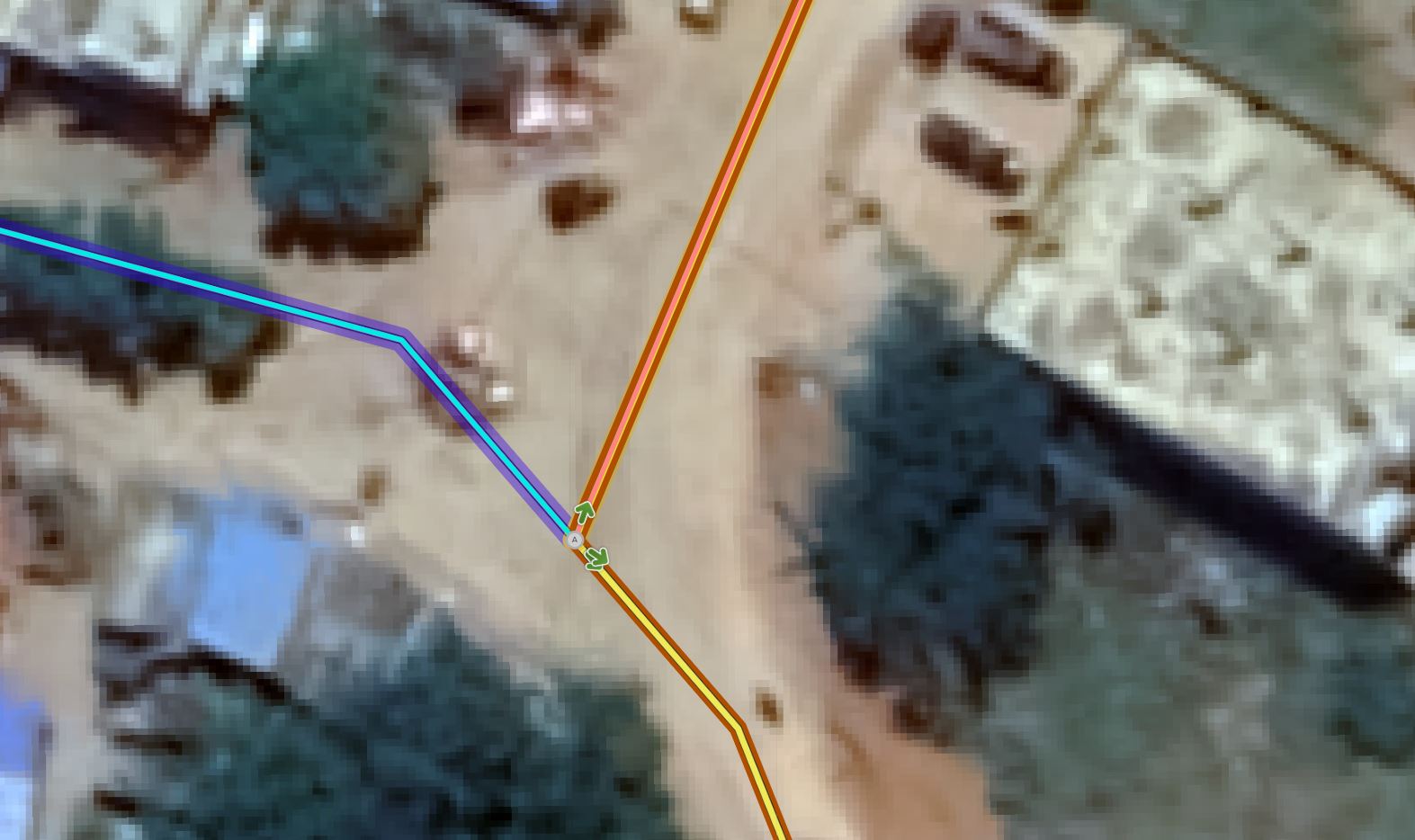
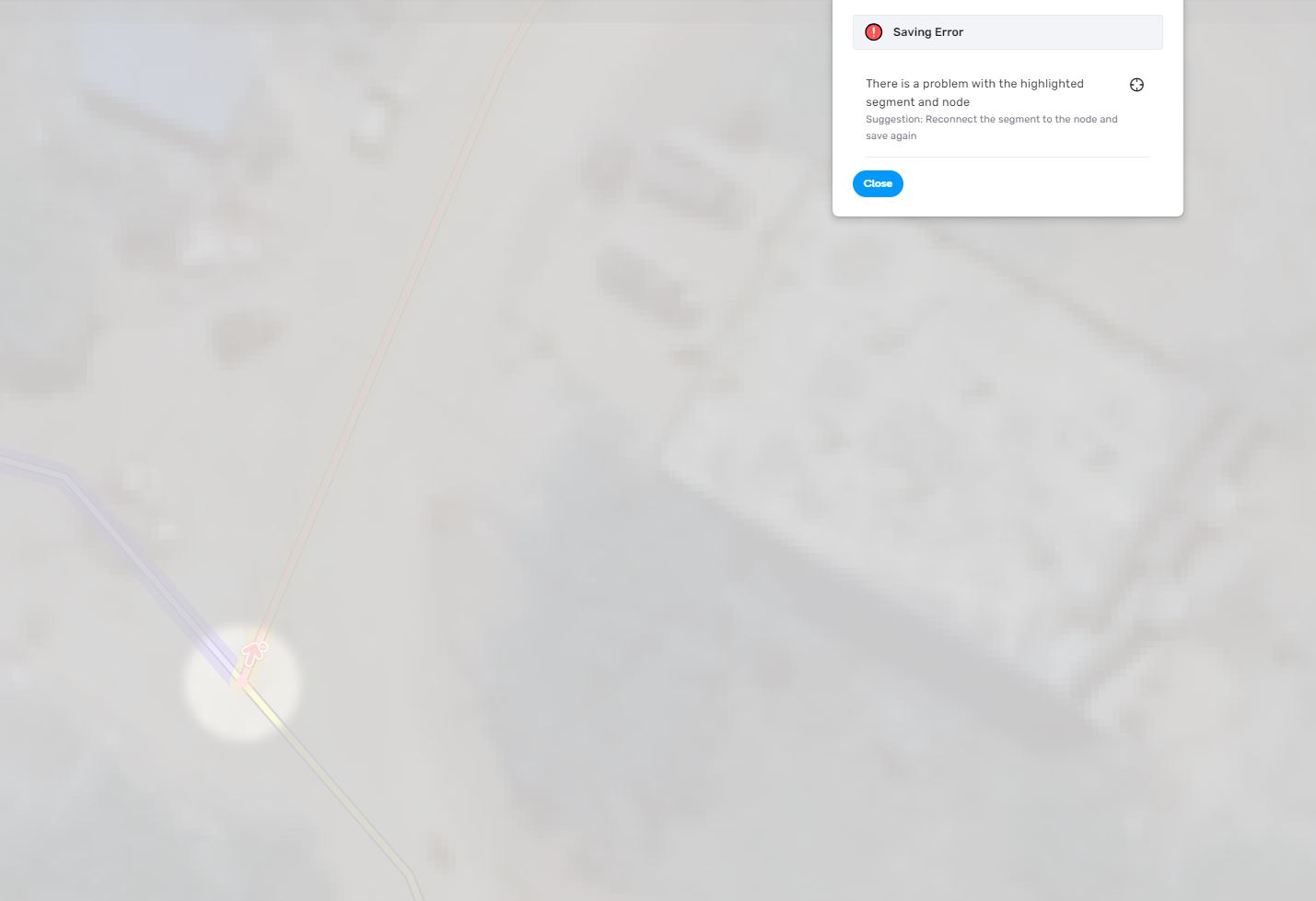
While I am editing on one end of the segment, if the other end has an issue, when I click save it takes me to the unconnected or bad angle opposite node but then it neither gives me option to save nor it lets me select the nodes in multi-segment or one segment select. The common issue node appears grey.
Current workaround: undo all edits, sort the issue end first then resume what I was actually editing.
Don’t know if this was already reported or a bug already created.
I saw this behavior on previous versions of WME, so I don’t think this is an issue of this particular WME prod version!
When I need to change any part of a road name from lowercase to uppercase (or vice versa), WME continues to assume that no change was done to the name.
To bypass this, I need to add an extra space at the end of the name, or any other characters, or something else that would allow me “to fool” WME, making it think it’s a different name, and then I come back to it and change it again to the correct name!