If it’s a technical hurdle don’t worry about it, I’ve just migrated away from anything Google that I don’t actually “have” to use if you know what I mean.
It’s not really a technical hurdle to come up with a solution, it’s just that the performance of the developer console in FF leaves a lot to be desired compared with Chrome, so the whole process of evaluating possible fixes, finding one that works nicely and then testing it in more depth, becomes far more tedious than it ought to be. So more of a “how much longer can I put up with this before I start wishing pain and misery on the FF developers” type hurdle than a “how the hell do I get the code to do what I want it to do” one…
Anyway, I’ve now learned a few new SVG tricks, with the result that I’ve got something running in FF which is almost there in terms of replicating the intended behaviour. I need to do some more testing in FF to make sure it doesn’t have any undesirable side effects elsewhere in the WME UI, and then I also need to see if I can just use the same code as-is for everyone, or if I still need to include the existing code for Chrome users, but fingers crossed I should be able to get something released in the next day or two.
Awesome
1.2.257 changes:
- Enlarge geo node/handle options work again in Firefox
- Enlarge geo node/handle options now also act on area MCs
- Replicated enhance point MC option from URO+
Note for URO+ users - if you’re already using the “Enhance visibility of point MCs” option in that, then enabling the new “Enlarge point map comments” here with the scale set to 2 will give the same visual effect, just applied in a more efficient manner.
https://greasyfork.org/en/scripts/435828-wme-fix-ui-memorial-edition
Awesome, thanks for the update. I see that it is working just fine on FF but I did notice that since the WME update, enlarging the nodes no longer works on Chrome.
edit: Well it does but I have to bump the numbers up to get it to show but as you can see they are not consistent.
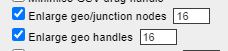
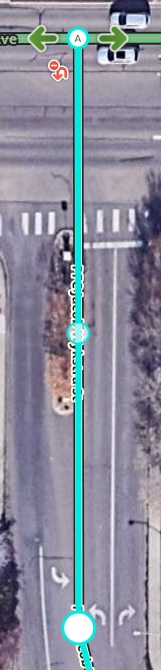
Oops, the perils of copy-n-paste… I forgot to change the native radius in the scaling calculation for the handles, which is why they ended up smaller than they ought to have been :oops:
1.3.257 changes:
- Size of enlarged geo handles consistent with 1.1.257 again
https://greasyfork.org/en/scripts/435828-wme-fix-ui-memorial-edition
Thank you for taking the lead on continuing the work of the late, and GREAT, Iain (miss you!)
The week before he posted his farewell posts, I had mentioned a quick and dirty MO I wrote up to allow the “enter” key to actually work on street name attributes and place addresses. He made it seem like he’d get to it once he was “feeling up for it.” Unfortunately, he never felt up for it again. Man I sure miss him.
I feel like it would be a great fit in FUME, as I had with FU. Interested? It’s basically an MO to go watch for those address boxes and then attach a key stroke listener to them checking for the enter key. If it’s pressed, it triggers a click event on the address save button.
Would you consider adding functionality that changes the size of the place lock and type? The new version of WME changed them to look attrocious. 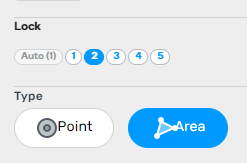
That’s deliberate at the moment - the current method for slimming down the buttons no longer works properly on those two…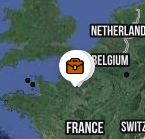
…and I wanted to get the other fixes released ASAP, so for now FUME doesn’t touch those two at all.
PM me the details and I’ll take a look 
1.4.257 changes:
- Sidebar compression applied to Point/Area buttons again
The level of compression applied to these buttons isn’t quite as aggressive as it used to be, thanks to the way the buttons are now defined, but at least it helps tame their wildest excesses and brings that part of the sidepanel UI almost entirely back into line with how we, rather than the devs, would prefer it to be laid out…
https://greasyfork.org/en/scripts/435828-wme-fix-ui-memorial-edition
Apparently they fixed this in a version sometime between the end of September and now. As when I went to test the functionality again, it appears the enter key works as it is supposed to now.
Thanks again for all the hard work!
(forgive me if I’ve got the wrong script)
The pop-up boxes for Share Location and Notifications are off the side of the screen
(FixUI ME is the only script running)
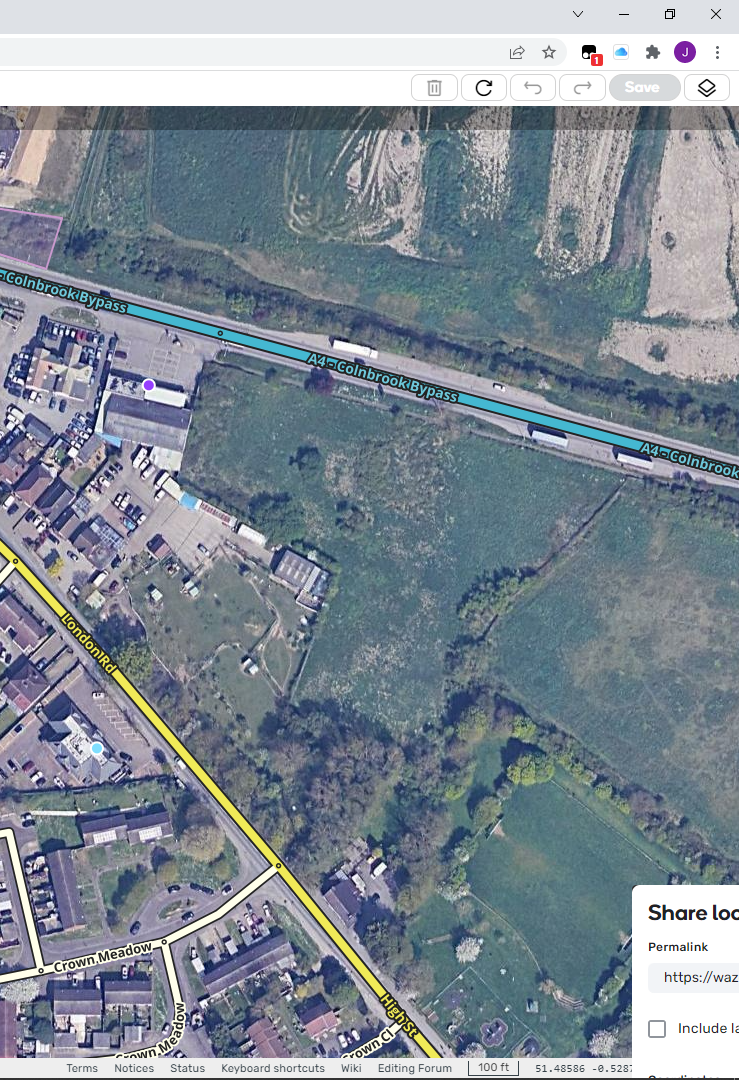
(unavailable attachment: Notification.png)
Screenshot?
post updated
Can’t replicate this here regardless of which of the main UI compression levels I’ve selected via the dropdown, and I’d prefer not to have to try working through potentially hundreds of different combinations of the checkbox settings in case it’s something being triggered by a specific combination you’re using…
If this is still happening for you, and only if you’ve then confirmed that disabling FUME make the problem go away - it’s one thing to verify that it’s occurring if a given script is the only one running, but you also need to confirm that it isn’t occurring because of something WME itself is doing regardless of scripts  - then please post a screenshot showing your FUME settings so I can try replicating your setup.
Testing with another editor, it appears that the issue may be the “remove floating buttons” option. When he unchecked that option, the PL box appeared correctly. When checked it did not.
These are the settings i have. Using Chrome Version 98.0.4758.82
as JM6087 says unchecking ‘remove floating buttons’ does bring the pop up back onto the screen but it also puts the floating buttons on the screen. The problem occurs when the Share location button is moved down to the bottom bar.
Same problem with ‘Move user info/notification buttons’ selected. Moving the user button to top left means the pop-up is off the edge of the screen, where WME has it, top right, the pop-up is on screen.
My [no scripting/programming knowledge] guess is that the pop-ups location is relative to the button, so when the button moves the pop-up moves with it, rather than having an absolute position on the screen.
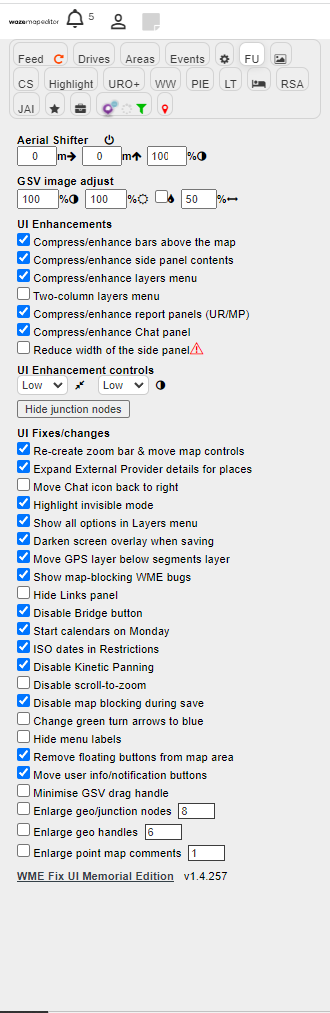
Thanks both of you, I’m now able to replicate both problems here.