1.5.257 changes:
- Fixes the two popup positioning errors noted above
https://greasyfork.org/en/scripts/435828-wme-fix-ui-memorial-edition
1.5.257 changes:
https://greasyfork.org/en/scripts/435828-wme-fix-ui-memorial-edition
Is there anyway to remove the red background?

Yep, uncheck “Show map-blocking WME bugs”
Ohhhh. Thank you. This feature is to point out those bugs rather than try to fix them?
1.6.257 changes:
https://greasyfork.org/en/scripts/435828-wme-fix-ui-memorial-edition
Thank you for those.
The only other thing I find is the selection shown below causes the report # that URC-E contains at the top of it to be suppressed when that option is selected.


Without that option

With that option enabled.
I’ve not noticed any bad effects in UR-MP, just this one with URC-E
I appreciate all the work you do along with assistance from others, with keeping this script current.
That’s by design, because natively WME doesn’t show anything of use in that part of the report dialogue - you already know it’s a UR you’re dealing with - so it seemed like a no brainer to hide it and free up the space for stuff an editor would want to know about.
if someone can explain why losing the UR ID from this part of the WME UI is a problem, given that it’s still made available elsewhere (such as in the UR popup that URCE also provides), I’ll consider adding an exemption to this part of the compression code for URCE users.
I just find it easier to copy the number from the top there after it’s open, but it’s not a deal breaker for me. I can just as easily copy it from the top of the UR itself when I click it before I open it. It was more a way to insure I was copying the correct # instead of copying one inadvertently from a neighboring UR, possibly one that might have been a duplicate.
Thanks
After the new WME update House number editing doesn’t close with Fix UI switched on. See clip below.
https://drive.google.com/file/d/1tDmvXTVZskpKWHWH8cz71OcqIA5IM1FH/view?usp=sharing
I’m also having a problem where I cannot open URs this morning. I turned off FUME and that allowed me to open URs. If you need more details, let me know. I just started disabling scripts until I could get URs open.
thanks.
I could fix this by disabling URC-E, are you using that script?
It’s really strange; it disappeared for a bit, but now it’s happening again. I have not enabled or disabled FU or other scripts in the meantime.
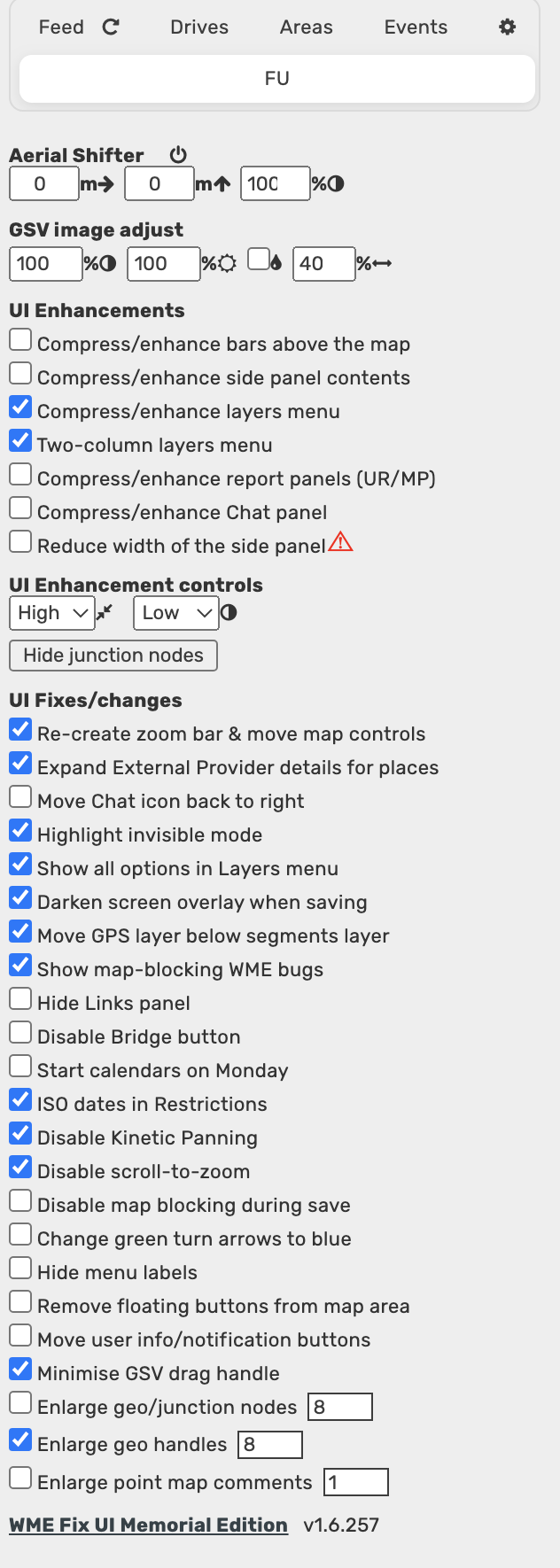
Re-create zoom bar & move map controls is not applied upon start up (No other scripts are running). If I unselect and reselect, the zoom bar does move. I’ve attached my settings.
This is because there are other script errors prior to this, preventing this code from executing, specifically with insertNode.
Ticking the box for “Re-create zoom bar & move map controls” on and off will put it back to where it was, but it will revert once you do a hard refresh.
I can’t reproduce this here, so either it’s something related to one of the FUME options you’ve got set but I haven’t (or vice versa), or it’s related to one of the other scripts you also had running during that demo video.
Therefore please can you
a) disable all other scripts and see if the problem still occurs when FUME is the only script affecting how WME is operating
and then, if the problem does still occur in this state
b) post a screengrab showing the FUME settings tab so I can see what you’ve got (un)selected
1.7.257 changes:
https://greasyfork.org/en/scripts/435828-wme-fix-ui-memorial-edition
Thank you for fixing the zoom bar issue.
Unfortunately, now, the “Remove floating buttons from map area” selection is not respected. I have it unselected, but every time WME starts, those buttons are moved up to the header.
1.8.257 changes:
Edited to add…
1.9.257 changes:
https://greasyfork.org/en/scripts/435828-wme-fix-ui-memorial-edition
After updating it’s not happening any more, will keep an eye on it.