A Waze Map Editor userscript that replaces the default WME right-click menu with a faster, cleaner, feature-focused context menu for both Map and Segments.
You can enable/disable the custom menu anytime (so you’re never locked into it).
What it does
Replaces the default WME right-click
Overrides the standard WME context menu with a custom one built for speed.
Works on both Map and Segment right-click.
Toggle on/off anytime
Quickly enable or disable the custom right-click menu.
When disabled, WME behaves normally.
Still access the default menu (quick bypass)
Shift + Right-Click bypasses the script and shows the original WME menu.
Features
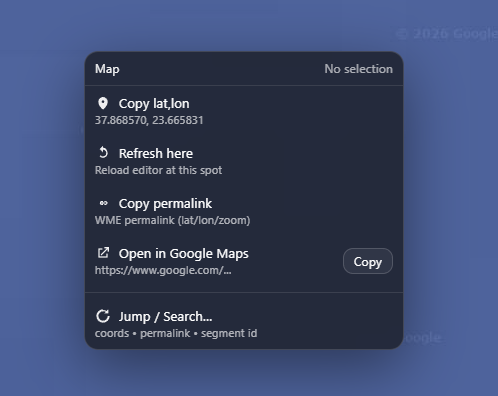
Map right-click
Copy lat,lon
Refresh here (reloads WME and returns to the exact same location)
Copy permalink
Open in Google Maps + Copy button (copies the Google Maps link)
Jump / Search… (coords, permalink, segment ID)
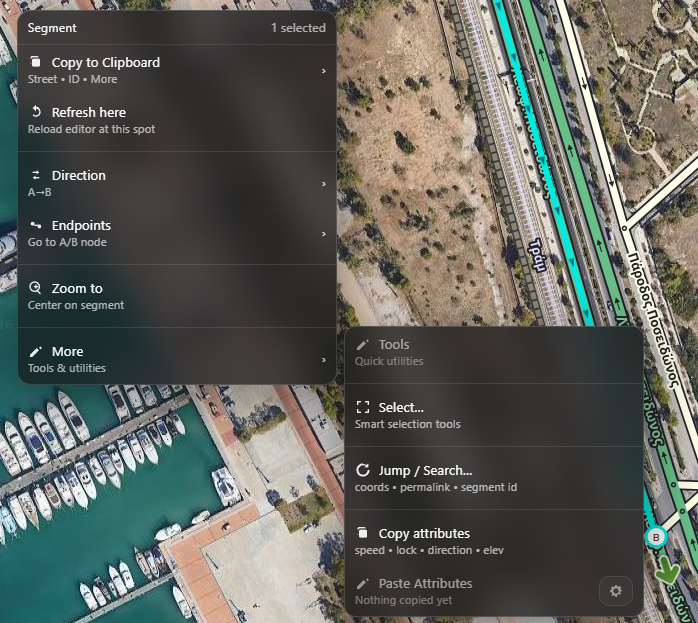
Segment right-click
Copy tools (segment IDs, street name, coords, links, summary)
Refresh here (reload + keeps location/selection)
Go to A / B node (fast teleportation to the start/end points of the segment)
Zoom tools
Utilities / More tools (segment helpers and copy/paste of
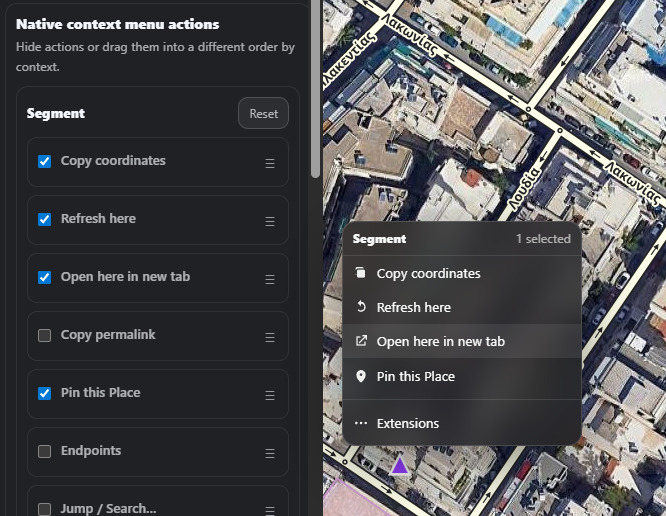
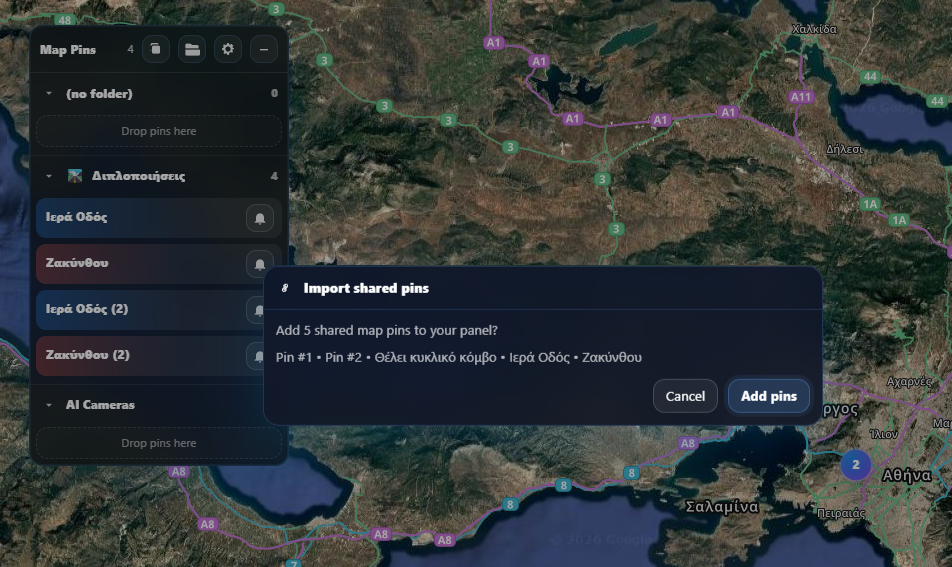
Yup, already in the backlog but no ETA. Priority for now are accessibility and visual changes, and 3rd party support so anyone can adapt their script with the context menu. Also, I am adapting a feature which you will be able to share pins with others via a URL and possibly something else which is not in the works for now.
Using Beta version. Was working perfect at first. I have several pins. UI/Control panel keeps disappearing in WME Prod - so can’t manage pins; works in WME Beta.
Need an option on right (or left) click to delete selected pin.
Need ability to move an existing pin - sometimes it blocks editor view when created.
Love the pin folders (when I can find the control panel) And the script concept is a great idea and implementation.
Good evening, Greek Captain - I just noticed on segments, the script shows metric speeds even when I have ‘Imperial’ selected in WME settings. Any chance you could have the script detect this setting and convert when necessary? As info, I edit in both the US ( Imperial) and India (metric) - so I need both… Thanks in advance!

 And the script concept is a great idea and implementation.