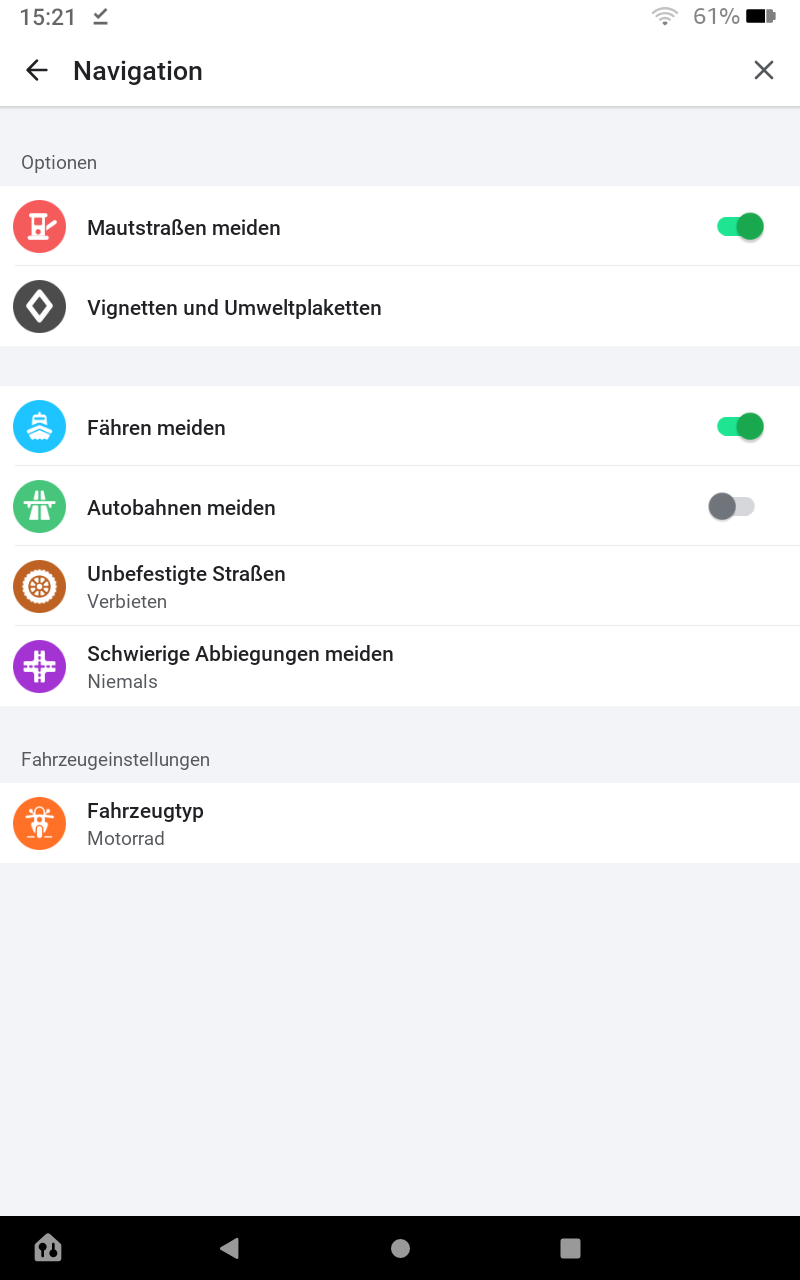
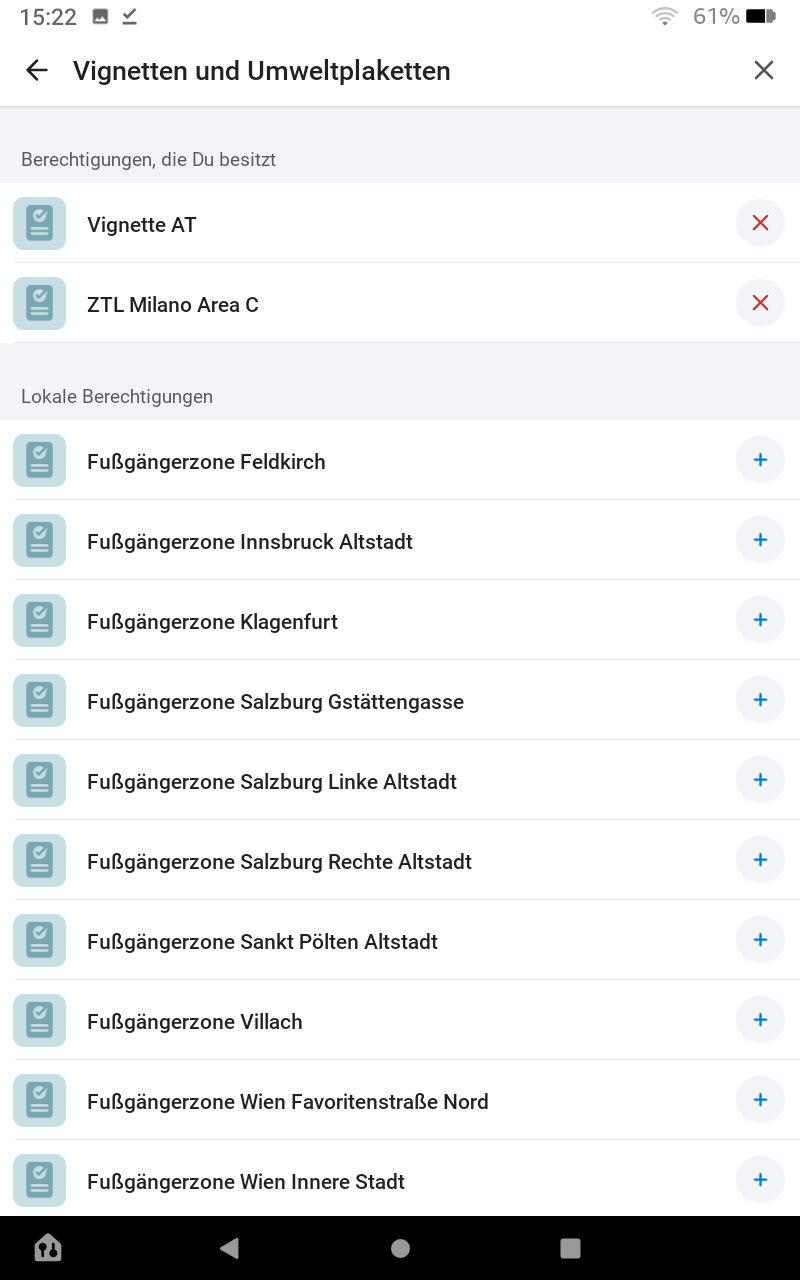
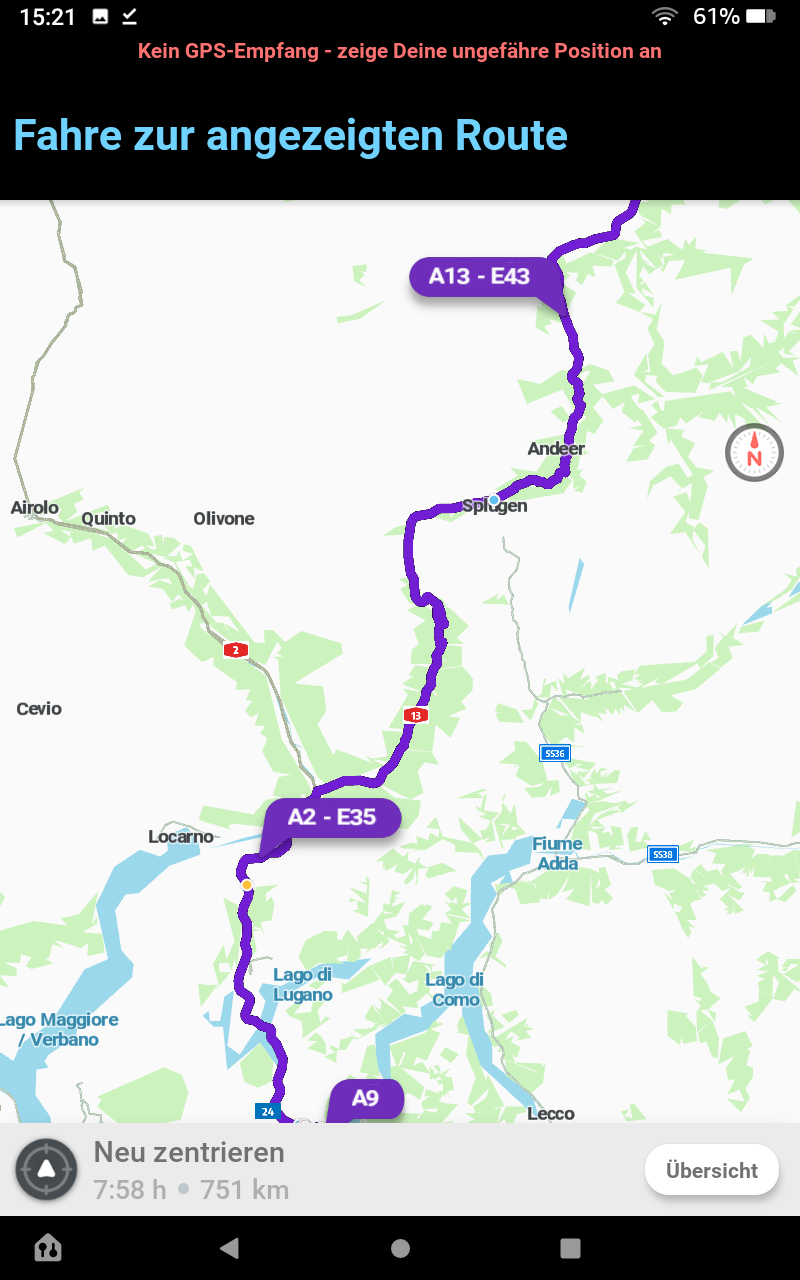
nice!
and how do I add the Vignette in the online live-map?
Currently the routing in the live-map is pretty useless as it will never take any highways.
Staff is working on adding a UI which will make it possible to select passes in the Livemap. It’s still in development for the time being, no clear ETA yet.
P.S. - Pas de soucis pour continuer en français si jamais, le topic est juste en anglais car c’est plus rapide pour moi que de l’écrire en trois langues.
Voici le test en vidéo (via Dropbox). Il n’y a pas d’étape dans le trajet. Hors péage mais avec possibilité de prendre les autoroutes et voie express. J’ai regardé l’A9 (suisse) est bien paramétrée dans Waze
C’est étrange en effet. Y es-tu déjà allé par le passé? Serait-il possible que les tiles sur l’Appli ne se soient pas bien actualisées et voient toujours l’autoroute comme segments avec péage vu que le changement sur WME est assez récent?
À tester: Rafraîchir la carte de ma zone ou simuler un point de départ au début de l’A9 au Nord vers Evian-les-Bains en désactivant les routes à péage pour voir ce qu’il se passe.
Je n’ai pas mon application à portée de main étant donné que je dois laisser mon smartphone dans un casier au boulot et je ne le récupère qu’à la sortie.
Need info for this
is this app avaiable or downloadable locally only?
i think each country has different Waze app version… right?
and only downloadable locally (by SIMCard number identity)
It’s the same Waze App from the Play/App Store, depending on which OS you use, there is no need to download another Waze App (they don’t exist). You can add the passes from anywhere by loading the full list from the menu which contains them.
Your ability to see the menu, however, may depend on your GPS location, menus can appear/disappear from the Waze App settings based on which country you open the App in. So you could be in Asia and not see this menu, but after you travel to Europe and open it in a EU country it will become visible.
One question, I don’t have the vignette yet, and I only want to buy it in December.
I’m about to cross switzerland, but even without adding vignette, waze is sending me to highways that need it, warning me that I need it.
Is there anyway just to make it avoid the places where it is needed ?
If you don’t add the pass Waze should not let you use road where it’s needed. I’ve never heard of cases where that did not work. Are you sure that you removed it or didn’t add it before trying to find a route? Can you show a screenshot?
There is also the old option to “avoid highways” in the app that you could turn on once you cross the border.
Waze Livemap is great for planning at home, but only if you don’t own the CH/AT-Vignette or just don’t want to use the highways. For highways, I have to use the App.
Will it ever work in Waze Livemap?
Staff are constantly working on Livemap changes lately. It’s easy to see with the new left panel menu they added and new features like “Send to phone”. Regarding passes support they said they wouldn’t expect it to be available until the end of 2019, so perhaps more during Q1 or Q2 2020.
ja, mir ist auch gerade aufgefallen, dass man in der Schweiz jetzt immer über die Autobahnen geroutet wird. Ob man Vignette an- oder abwählt und Mautstraßen an- oder abschaltet. Vom Verhalten des Routing-Algorithmus ist das insofern korrekt, weil in der Karte die Schweizer Autobahnen weder als Mautstraße markiert sind, noch ist eine Beschränkung für alle ohne “Vignette CH” eingetragen.
Offensichtlich ist das geändert worden, denn es hat mal funktioniert. Gibt es einen Grund, warum man dieses überaus nützliche Feature durch Enfernen der Beschränkung für die Autobahnen unbrauchbar gemacht hat?
There has been a routing algorithm bug recently which had been reported to staff already a few days ago and affected several countries using the Vignette system.
On August 30th staff responded: “I’d like to update you that the issue has been resolved and things should be back to normal now.”
So this had nothing to do with editing, how the freeways are mapped and we certainly did not remove the restrictions in Switzerland. It was strictly an App/Routing issue.
Unlike in Austria, we placed our vignette restrictions on entrance ramps and segments that continue on the Freeway after an exit, this provides a better user experience than having the restriction in between junctions as well, due to app behavior trying to place the Wazer on nearby roads as if the freeway did not exist when they keep driving on it.
Thanks for clarifying. I agree that the approach, you are using in Switzerland for the vignette restrictions is better than the Austrian one.
However, there seems to be still an issue with the routing algorithm. I selected a route from Solingen, Germany to Davos using the App (V. 4.77.0.01, Android) and I got the following results:
Swiss and Austrian vignette selected: I get a route over Memmingen - (A96) - German/Austrian border - (A14) - Exit Hohenems - Austrian/Swiss border - Widnau and then via A13 to Landquart. That is correct, since this is the fastest way.
Swiss vignette deselected, only Austrian vignette selected: I get a route over Memmingen - (A96) - German/Austrian border - (A14) - Exit Feldkirch-Frastanz and then on ordinary streets through Liechtenstein to Landquart. This is also correct, since the Swiss highways are avoided.
Austrian vignette deselected, only Swiss vignette selected: Now I get again the route via Memmingen - (A96) - German/Austrian border - (A14) - Exit Hohenems - Austrian/Swiss border - Widnau and then via A13 to Landquart. This is also correct, since you do not need an Austrian vignette for the A14 between German border and exit Hohenems.
Neither Swiss nor Austrian vignette selected: Again Waze routes via Memmingen - (A96) - German/Austrian border - (A14) - Exit Hohenems - Austrian/Swiss border - Widnau and then via A13 to Landquart. This is not correct, since you are routed over Swiss highways even if you deselected the Swiss vignette.
Whenever we signal a problem they ask us for logs, when I remove the vignette I don’t get routed on Swiss freeways so I can’t send them logs showcasing the problem. If you can, please send staff your logs and explain the issue to them so that they can find the problem.