Is this a…:
Performance issue
Steps to reproduce this issue:
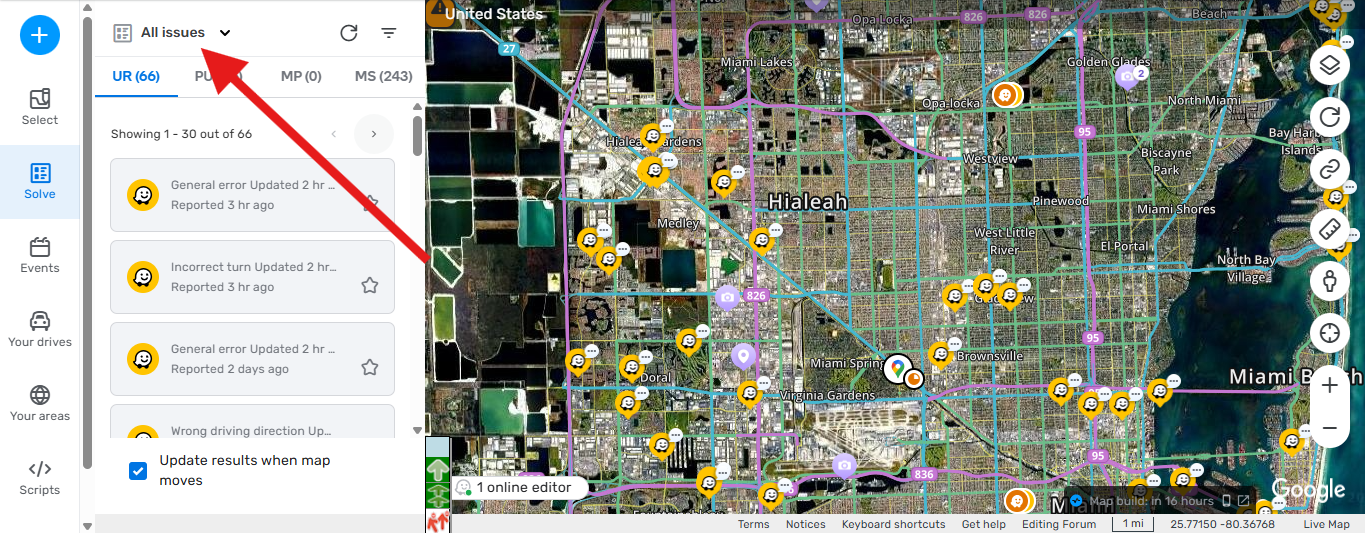
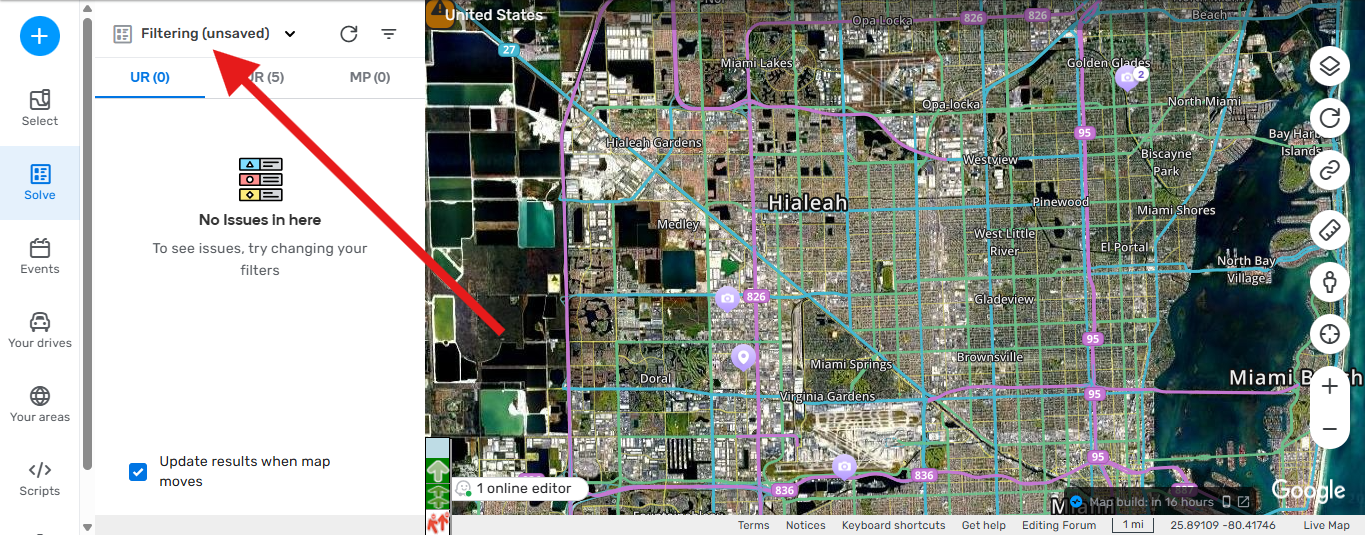
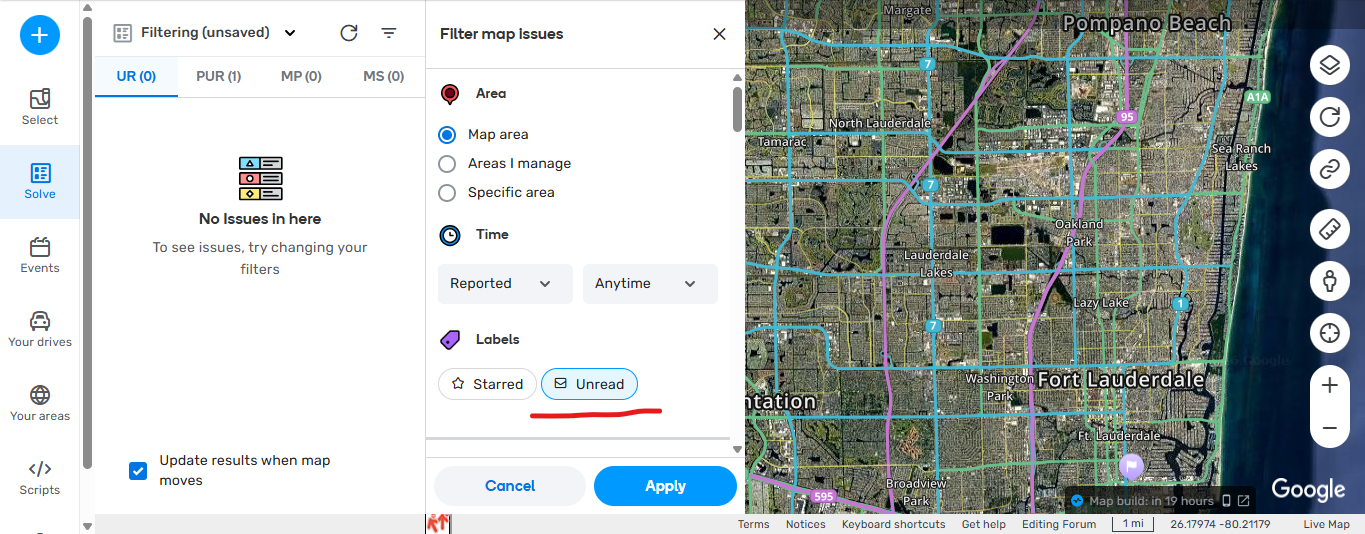
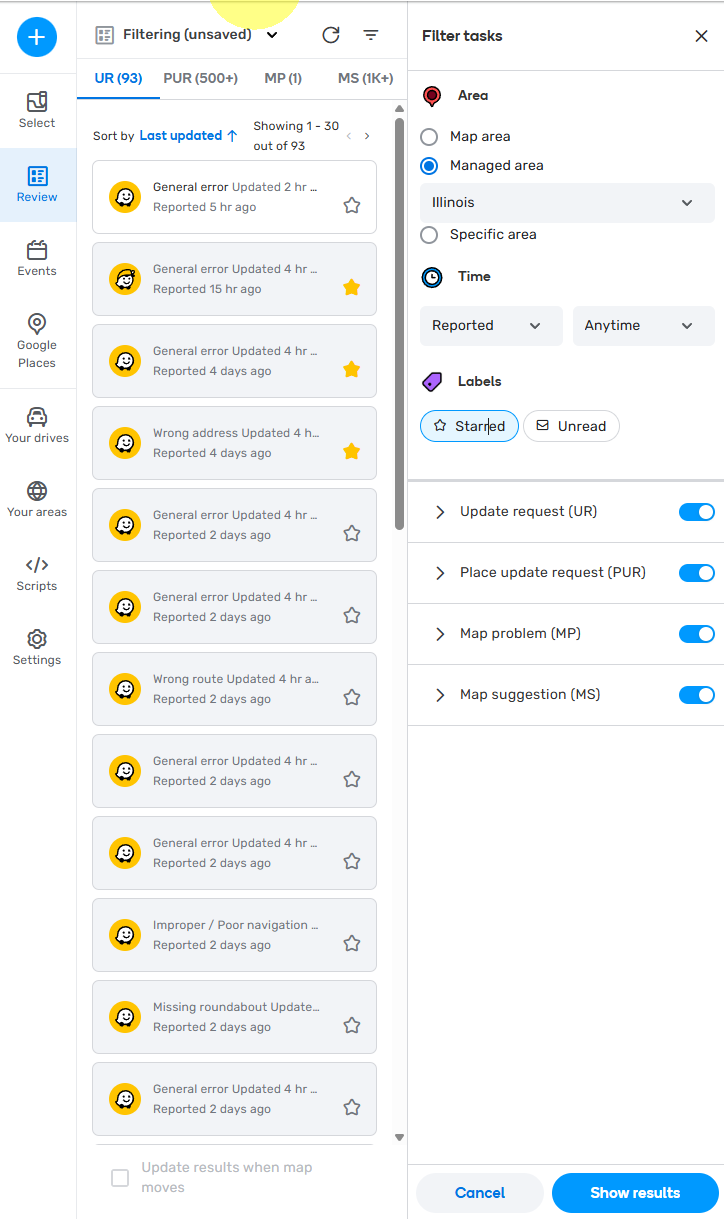
when you try to uncheck ( UNREAD ) and then apply the option doesn’t change, it stays in UNREAD mode, so i cant see any UR other than new ones without comment, this is also happening with PURs if i click on a PUR and then moved it doesn’t show because it was read already so while the ( UNREAD ) Button stays ON i cant work in any PURs or URs that have a response or reply, i tried clearing cache, removing all scripts but the only way it works is in incognito. i find out that the filtering is not staying in the filter i have set up as default and as soon as i change to ( Unread ) the filtering changes to ( Unsaved ) and it doesn’t allow you to see the URs your looking for. which are the ones with reply or response by me and the UR needs to be closed. i also noticed that the Map is working slower than previous versions, taking longer to load and refresh.
Environment where the bug occurs…:
ROW,NA
Permalink:
https://beta.waze.com/en-US/editor?env=usa&lat=26.23426&lon=-80.19901&zoomLevel=12
Browser name and version:
Chrome
Are you using scripts? Please detail which ones.:
i used WMEPH, HN navigation, PIE, USA government boundaries, JAI, GIS Layers.
but after removing them all, and trying without scripts the issue still persist.
6 Likes
Confirm. I have the same problem and can’t change settings. A use wme w/o scripts
6 Likes
Hello @locojd1 ,
Thank you for sharing a detailed report with screenshots and a recording.
The problem is reproducible on our end too and I have created an internal case for the team to look into the issue.
Once I have any updates, I will let you know.
Kind regards,
Kasia
3 Likes
@Kasia-staff Thank you so much for looking into this, as this is really important to work with URs and PURs and is affecting many users.
2 Likes
Is this a…:
Standard bug
Steps to reproduce this issue:
Sign in to WME
Click Review from left column
Click Filter Tasks (horizontal lined, upside-down triangle) from top of column
Select any Area or Time of interest and click Show Results at bottom of column
Reopen Filter Tasks
Under Labels, click on either or both the Starred / Unread button so it is highlighted
Click on Show Results at the bottom
Click Filter Tasks at the top
Click on either or both the Starred / Unread button so it is no longer highlighted
Click on Show Results at the bottom
Click on Filter Tasks again
Either or both the Starred / Unread button is highlighted again
Log out of WME
Log back into WME
Select Filter Tasks
Notice that either / both the Starred / Unread button is no longer highlighted
- Visual aids: https://youtu.be/SDW09sPB59c
Environment where the bug occurs…:
NA
Permalink:
Not applicable
Browser name and version:
Chrome Version 148.0.7778.167 (Official Build) (64-bit)
Are you using scripts? Please detail which ones.:
No scripts were used
1 Like
Seems like the last few days, the bug is fixed.
1 Like
Hi @Kasia-staff, this issue has been fix since the last Beta release which is now Production. can we confirm that the issue is completely/fully fix to closed this BUG? thank you for your help
1 Like
Hello @zainerreyyan105 and @locojd1 ,
Thank you for following up.
I have double-checked with the team and can confirm that the issue was fully fixed. If the problem re-appears, please let me know and we will investigate the case further.
Have a great day!
Kind regards,
Kasia
1 Like
Thank you @Kasia-staff. for the update really appreciate it 
1 Like