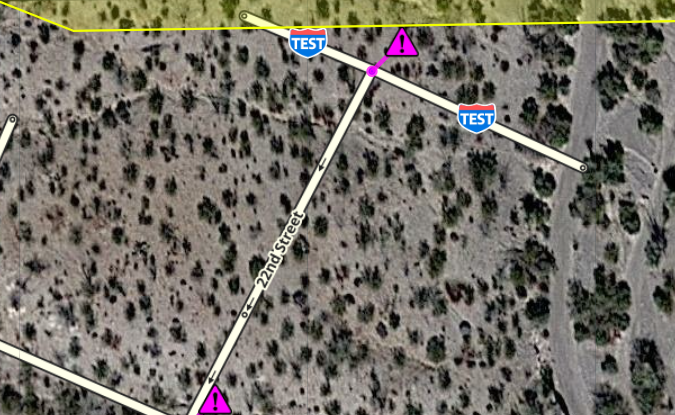
I am able to see this because of a script that shows road shields that are applied to segments (this includes railroads). Since the segments are unnamed, I can’t remove the shield. Note: as of time of this posting, the tiles have not updated to include them in the app but I anticipate it will reach the app tomorrow
Here are a couple screenshots (with script to show the shields)
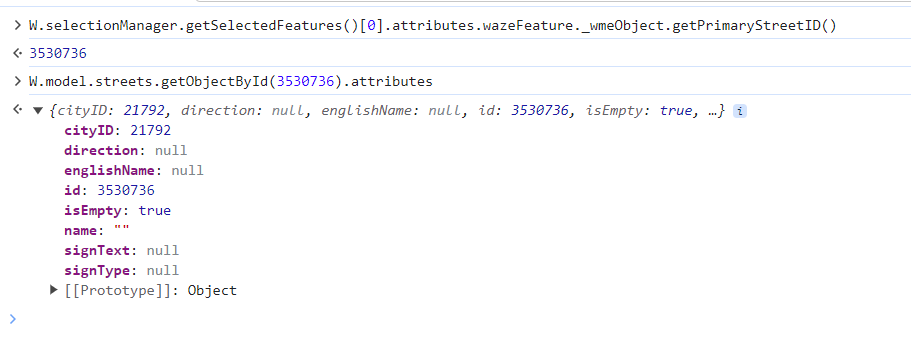
You will not be able to see them in WME without scripts. The only way to see them without scripts is in the console.
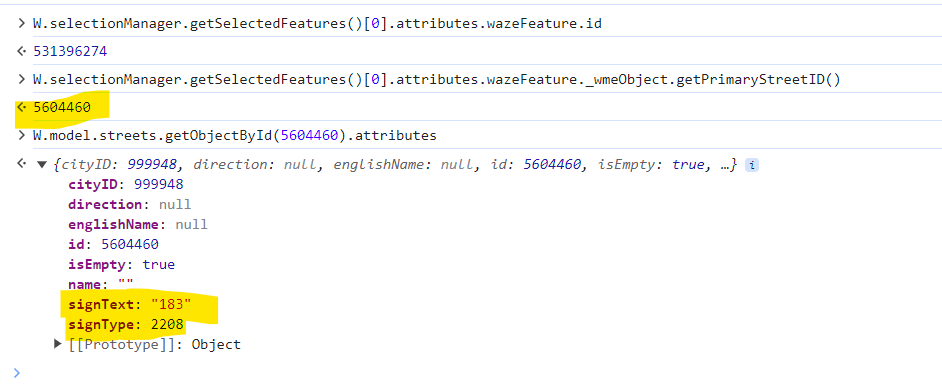
Here is what I am seeing in my console on a couple of these segments. I am pulling the console details from an incognito WME with no scripts to show it is there without scripts.
Here are examples of some issue segments. Note that the primary ID for the issue segments are all the same (5604460) and the sign text and type are not null Waze Map Editor
Thank you for the report and your own investigation
I would appreciate to see GIFs to show steps as well. I want to show it to developers to decide if it was really the root cause for the initial report from France.
Here is a video of the creation using incognito to show it is not caused by scripts. https://youtu.be/830iW3BH2QI
Since it is not visible in native WME, this is a screenshot of WME with scripts to show that the shield shows up on unnamed segment
Here is a video that shows me deleting the alternate name (without deleting the shield) in incognito. I then switch over to WME with scripts to show that the shield is still showing on unnamed segments. https://youtu.be/cY-zBhiiwjQ
Since this is created using my test area with a test city and does not cause issues with the rest of the state, I have left it with the shield.
I am leaving the alternate name deleted. If you want to bring it back so you can remove the shield, here is a video of what to do
Just checking on this. The issue still exists in both Beta and Production. I just realized that it was reported as local issues since it appeared to be an localized problem. I believe that this is actually a bug that is reproducible. Should I report a beta bug or move this thread to beta bugs or is it fine here?
We have an internal issue for this case. I will update when we have some news.
Updated: John, I apologize. Could you please share a link to locations where road shields are still visible? I revisited an old problem, and it’s fixed now. There was some misalignment in the database, and it’s resolved. I simulated testing segments, but I can’t see road shields with my device.