Good contribution. Identifying the segments with edited lanes and their characteristic saves valuable time that helps focus the test effort on more important aspects.
That would only check one selected segment and wouldn’t work for nodes at all.
LanesInfo checks every segment/node on screen irregardless of whether it’s selected or not. Checking only one selected feature at a time seems counter productive to being able to see what’s been done already at a glance…
(Off-topic) Just as Info, for the (probably few) ones who use Street Vector Layer, you can see that segments have lanes from the dashed dark gray line on the corresponding side of the segment.
2019.10.01.05:
- Will highlight each segment half based on presence of lanes
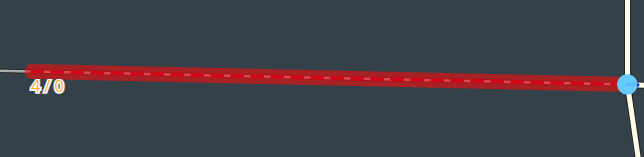
- Will highlight each half with red if there are missing lane turn associations
- Lane label now appears in the middle of each segment only
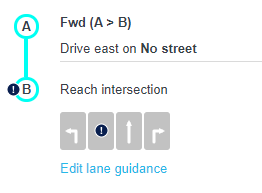
- The 'Edit Lanes' interface will automatically open when the lane tab is selected
- Adjusted some line attributes for better display
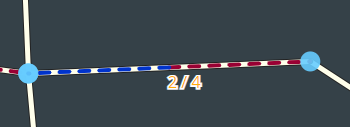
Thanks for the update. The red highlight seems to be erroneous sometimes, compare the 2 lanes-having segments in this PL for example. I’m seeing one red one blue although they’re identical. Maybe something to do with A-B vs. B-A direction?
Correct. I have plans later today to write up a better user guide for this script and post it in the original post.
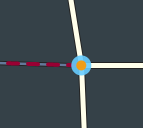
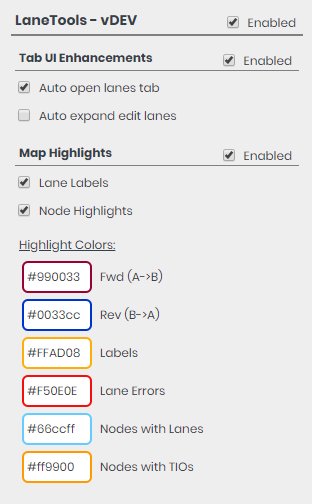
Each half of the segment (whether A->B or B->A) will have a highlight associated with a color. I did this so it’s immediately clear that both directions on the segment have lanes associated with them, and although not many use it, the direction of the segment is known. The dashed highlights area associated with the presence of lanes on the segment. The larger solid red highlight indicates that some of the lanes in that direction do not have a turn associated with them.
Updated the user guide in the original post and pushed a new update.
2019.10.02.01:
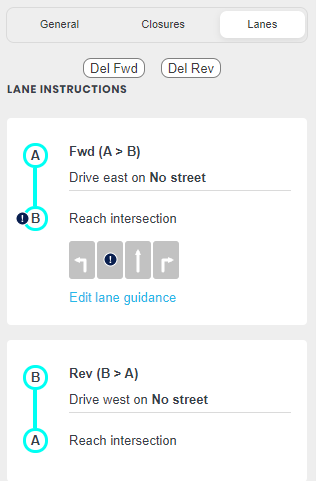
- Buttons to delete all lanes in either the fwd or rev direction in the lanes tab (R5< or CM)
- Auto focus the first lane # input in the lanes tab