The auto-update failed to launch, requiring a manual force-update. Additionally, the phrase ‘Show loading icon’ remains untranslated in the Spanish version.
Congratulations, it’s always good to have some extra help that makes our lives easier.
Great initiative!
Thank you for the feedback about the wrong translation. I fixed it. If you find others, let me know.
About the auto-update, I didn’t understand. Can you give me more details about it?
Thanks.
Any issues or suggestions. Just let me know haha
Thank you so much 
If you find any errors or have any suggestions, let me know
I’d like to thank @luan_tavares_127 for the great work! I think I was using version 1.0 of the script and reached out about potentially suggesting improvements, when he explained that everything was already included in the new version (how embarrassing lol). Super approachable and helpful guy. Thanks, @luan_tavares_127.
I’m the one who should thank you for reaching out! I’m glad to know my script is useful to others besides myself haha
Whenever you need anything, we’re here. Just give us a shout
For some reason this script isn’t working for me. Does this work globally? I’m trying it in the UK area.
Here in Brazil, it’s working seamless.
Hi. Have you been able to figure out why the script isn’t working for you yet?
The script has no restrictions.
It’s probably some local bug on his machine.
I’d need to know exactly what’s happening, whether he installed Tampermonkey and the script correctly.
Check if it’s conflicting with something, or whatever. 
WME Speed Display v3.0.0 is here! 
News:
- Update Checker: The script now automatically detects if a newer version is available;
- Layer Management: The visibility checkbox has been reintegrated into the native map layer menu, allowing the display to be toggled in 3 different ways;
- Global Refactoring: The code has undergone a deep technical cleanup, with semantic method names and functions optimized for better performance.
Fixes and improvements:
- Rendering Optimization: Improved the icon display logic when moving the map, zooming, editing, or deleting multiple segments;
- Segment Persistence: Fixed the error that kept old icons on the screen after splitting or removing segments;
- Initialization Stability: Fixed the “.then()” error and console failures related to native tooltips;
- Translation Adjustments: Fixed incorrect terms in several languages;
- Filter Count: Fixed the visual error in the active filter count on the panel.
 Attention:
- Settings Reset: Due to the refactoring of the internal code structure, all settings have been reset to default values. You will need to readjust your preferences in the panel.
WME Speed Display v3.0.0 has arrived! 
News:
- Update Checker: The script now automatically detects if a newer version is available;
- Layer Management: The visibility checkbox has been reintegrated into the native map layer menu, allowing the display to be toggled in 3 different ways;
- Global Refactoring: The code has undergone a deep technical cleanup, with semantic method names and functions optimized for better performance.
Fixes and improvements:
- Rendering Optimization: Improved the icon display logic when moving the map, zooming, editing, or deleting multiple segments;
- Segment Persistence: Fixed the error that kept old icons on the screen after splitting or removing segments;
- Initialization Stability: Fixed the “.then()” error and console failures related to native tooltips;
- Translation Adjustments: Fixed incorrect terms in several languages;
- Filter Count: Fixed the visual error in the active filter count on the panel.
Attention:
- Settings Reset: Due to the refactoring of the internal code structure, all settings have been reset to default values. You will need to readjust your preferences in the panel.
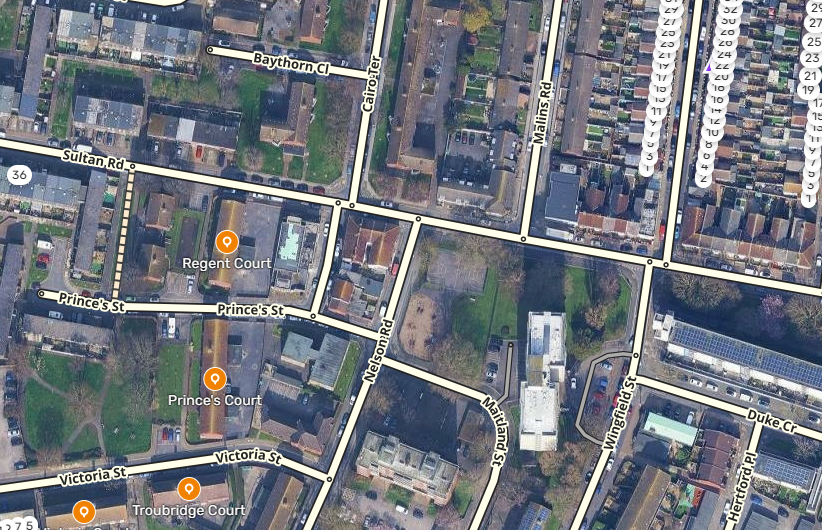
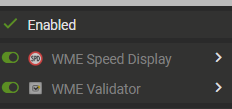
Could you send me the screenshot about he script tab?
And could you open a new tab, go to de wme with the console opened, to send me a screenshot too?
Like I said, the script haven’t any restriction. We need to find what is wrong with it in your computer
I’ve figured it out now, my apologises. I did not have “Allow User Scripts” enabled in my browser!
Just a note for anyone else having issues, that’s totally my fault 
That’s great that you were able to find the problem. If you find any errors, or have any suggestions, just let me know. 
WME Speed Display v3.3.0 is here!
What’s New:
- Shortcut Management: It is now possible to change the script shortcut, which will be saved along with the settings;
- Conflict Checker: Added a shortcut conflict checker for the script;
- Dialog Interface: Dialogs are now “stackable”, improving visual organization.
Fixes and Improvements:
- UI Adjustment: Fixed the issue with the snackbar that was “floating” or overlapping the native WME snackbar.
Known Issues:
- Key Capture: It is not possible to capture the
Tabkey correctly when adding shortcuts; - SDK Limitation: The
Control(or⌘) key is not being saved due to a known issue in the SDK.
WME Speed Display v3.3.0 has arrived!
What’s New:
- Shortcut Management: Now it is possible to change the script shortcut, which will be saved together with the settings;
- Conflict Checker: Added a shortcut conflict checker for the script;
- Dialog Interface: Dialogs are now “stackable”, improving visual organization.
Fixes and Improvements:
- UI Adjustment: Fixed the problem with the snackbar that was “floating” or overlapping the native WME snackbar.
Known Issues:
- Key Capture: It is not possible to capture the
Tabkey correctly when adding shortcuts; - SDK Limitation: The
Control(or⌘) key is not being saved due to a known issue in the SDK.
Great work, Luan! The script keeps getting better with every update.
The improvements in UX, especially the shortcut conflict checker, show a clear focus on usability and real-world editing flow. It’s great to see this level of refinement. Keep it up 
Thank you so much, @daviaraujo93.
I appreciate it. 