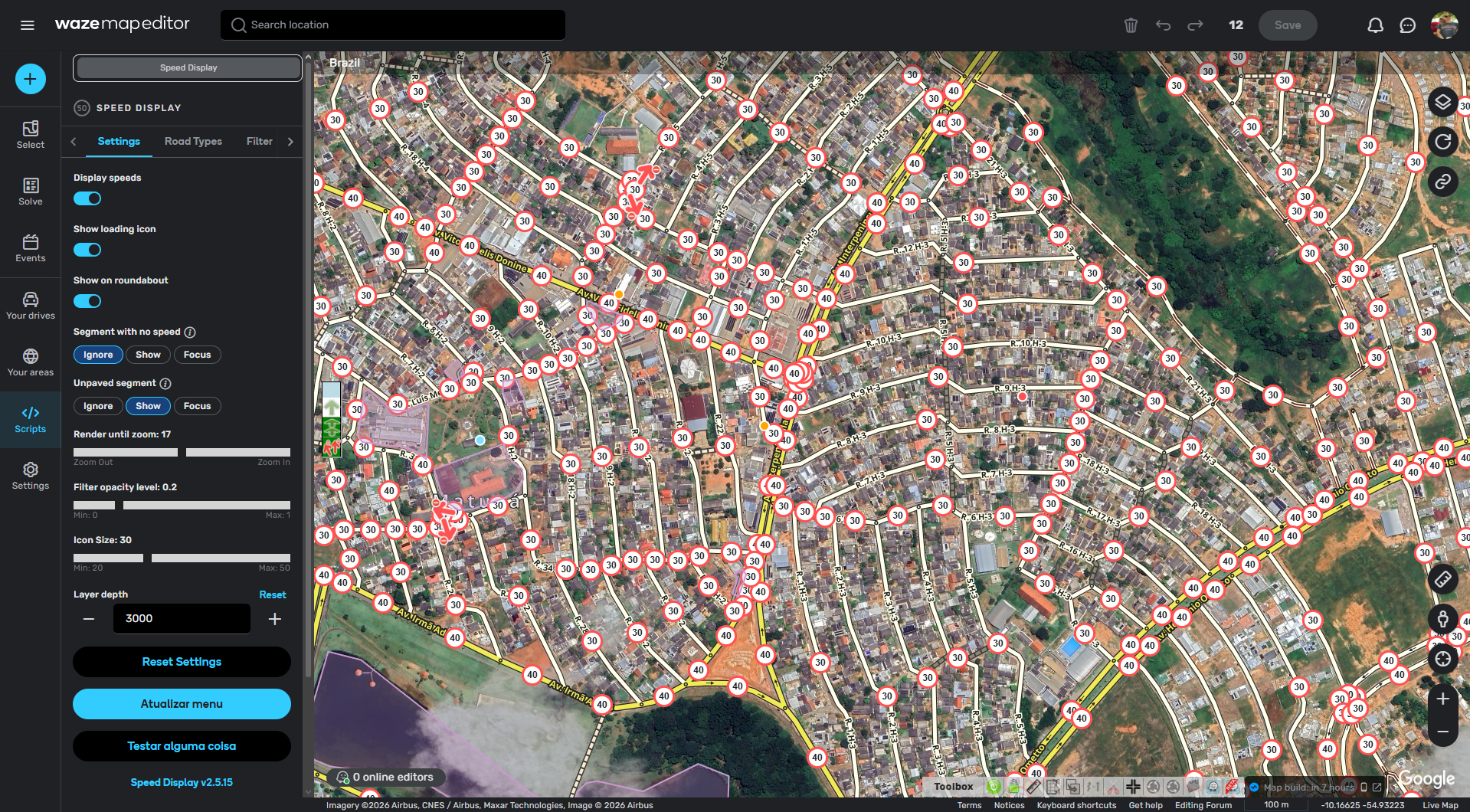
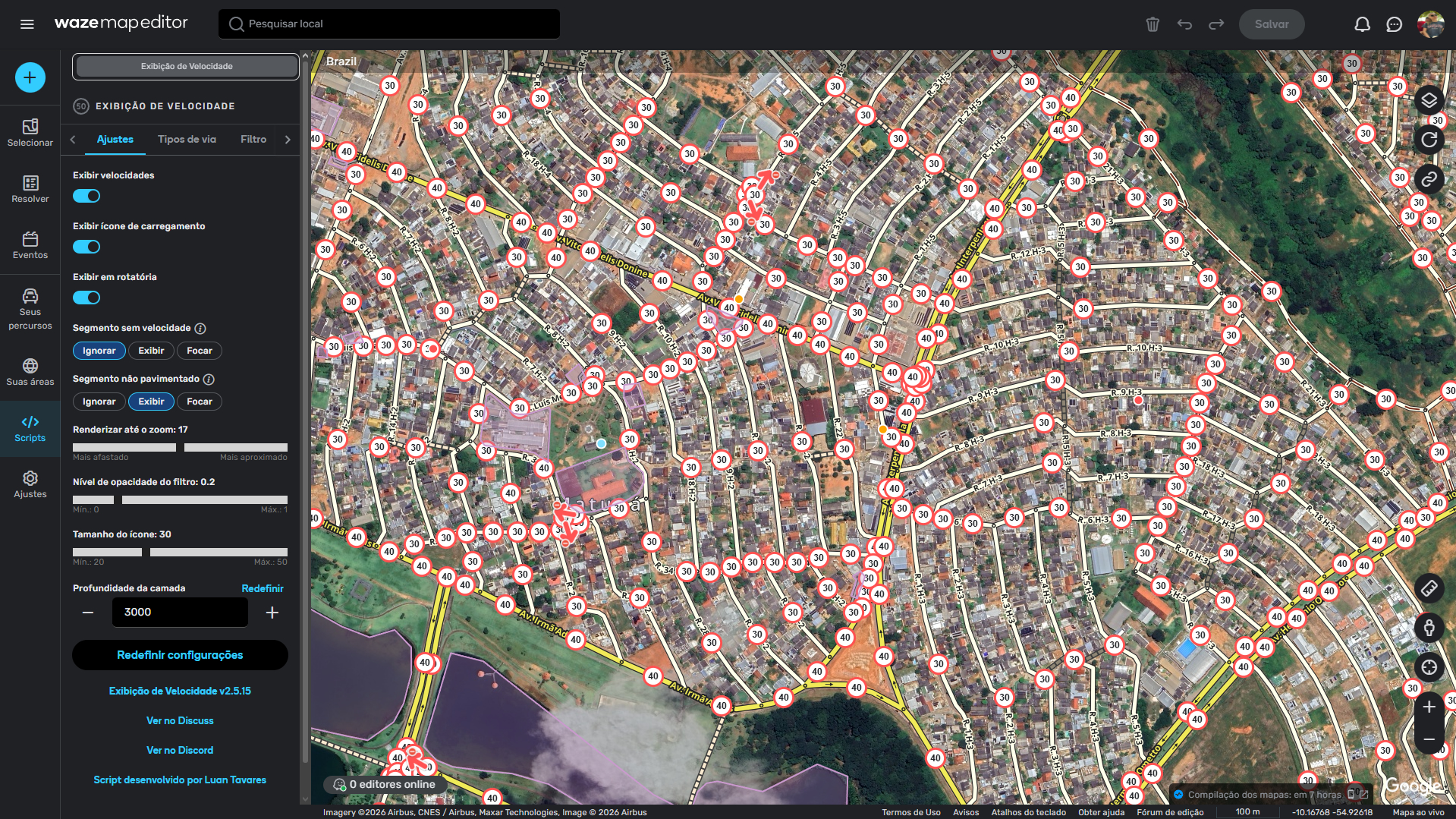
Finally removed the “updating icons with delay” message and replaced it with a simple icon, making it clear when the script is still processing speed icons (remember there’s an intentional delay).
Fixes:
Renamed the “general” tab to “settings” for better clarity on each tab’s function;
The segment size filter no longer removes the icon but now applies the same opacity as the speed filter.
I’ve been using this script for quite a few months now. My bad for not thanking you here, but I have to say, it’s good! The reason I’m writing now isn’t to thank you for creating this script, but to offer a suggestion.
Right now, it would be really helpful for me to quickly see areas where the road has no speed limit set. This would let me catch any segments I might have missed, similar to how you can filter by maximum speed. Currently, there isn’t a good way to filter for that.
Thanks for your suggestion and feedback!
It’s so good to know that my script is helping other editors too.
I’m thinking in some modification to do something like this on my script, and together I want to bring other thing that someone asked me months ago (if I can).
For now, you can use WME Color Highlights to highlight the segments that have no speeds. It’s a easy and fast way to find them. I used it before I made my own script and it helped me a lot! I hope that it’ll help you too.
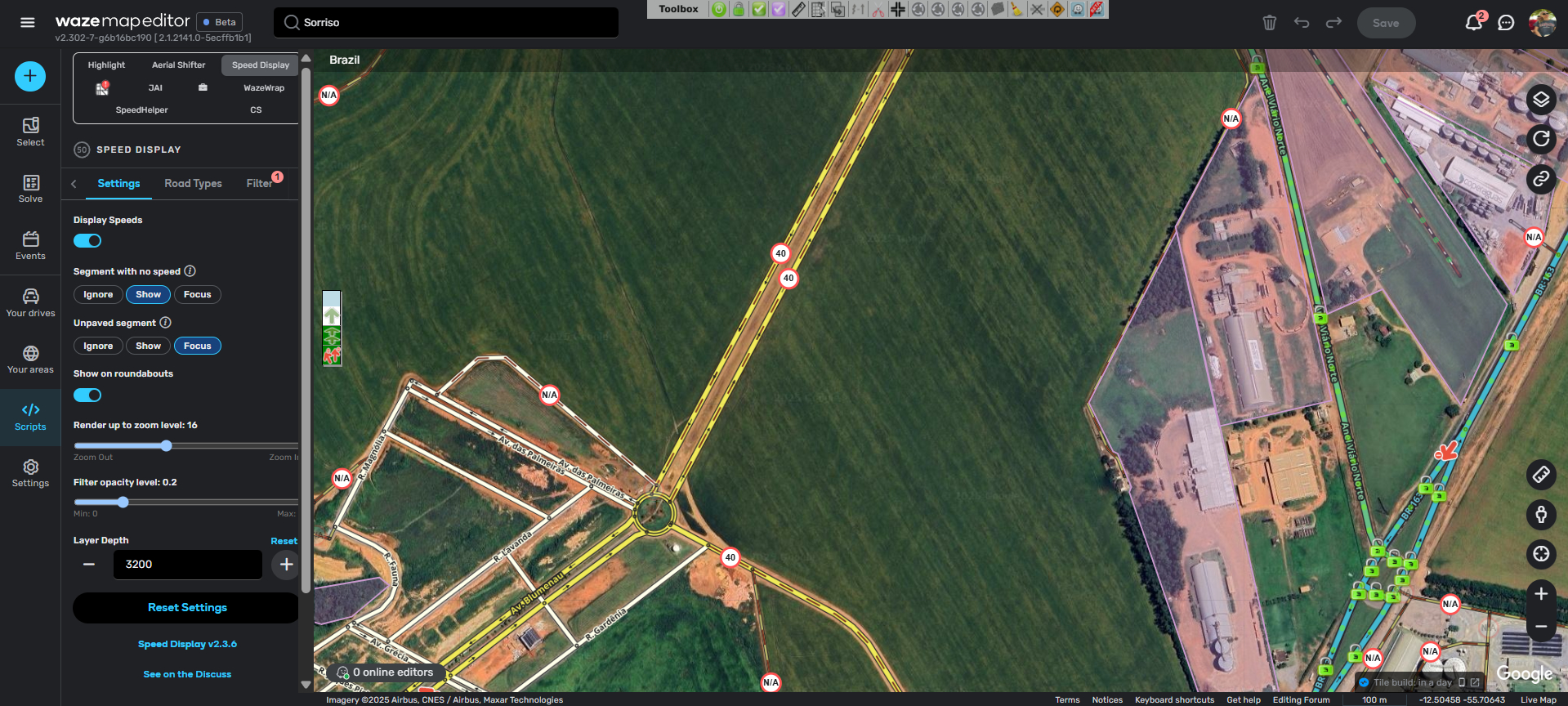
New feature for segments without speed and unpaved segments!
It’s now possible to ignore, display, or focus on segments without speed and/or unpaved:
When ignored, icons will not be generated for these segments;
When displayed, icons will be generated normally;
When focused, only icons matching this condition will be displayed.
A counter for active filters has also been added to the “Filters” tab title, making it easier to identify when filters are active.
Fixes and Improvements:
The old “Display speed in roundabouts” checkbox has been replaced with a switch;
Added a retry limit for existing loops in the script;
Fixed a minor validation issue with left-hand traffic;
Other small fixes and improvements.
Known Issues:
There is a “.then” error when starting the script that appeared after the WME update. The cause is still unknown, but the script runs normally;
There are errors with tooltips when initializing them. Due to the lack of documentation for using native WME framework elements, the added tooltips are generating an error. However, like the other issue, the script runs normally.
With the update, it has stopped working for me. The version is 2.3.6 and I’m using Chrome 140.0.7259.2 as my browser. I’ve restored the settings and reinstalled it, but nothing has worked.
I’ve realized it wasn’t a problem with the script not working, but rather that the zoom level required for it to be visible has changed, or at least that’s my perception.
Thanks to you for implementing streets without speed limits. Now, in large cities, with a zoom level of 16, you can see if there’s any short segment of a street without a speed limit.
Migration Completed: The script is now 100% migrated to the official WME SDK, ensuring greater stability and compatibility with future editor updates;
Icon Customization: Added option to choose the size of speed icons;
Layer Control: Layer activation is now done exclusively via shortcut or the script panel (removed from the native layers menu);
Loading Indicator: Added a switch to choose whether or not to display the loading icon.
Fixes and Improvements:
Attention: Due to significant structural changes, settings have been reset to default values;
Optimization of icon rendering conditions and improvement in zooming via SDK;
Visual adjustment: Segments without speed now display “–” (instead of “N/A”);
Fixed speed display on left-hand drive roads when the unused direction had no speed;
Other minor fixes and internal code improvements.
Known Issues (yet):
There is a “.then” error when starting the script that appeared after the WME update. The cause is still unknown, but the script runs normally;
There are errors with tooltips when initializing them. Due to lack of documentation for using native elements of the WME framework, the added tooltips are generating an error. However, like the other error, the script runs normally.
Migration Completed: The script is now 100% migrated to the official WME SDK, ensuring greater stability and compatibility with future editor updates;
Icon Customization: Added option to choose the size of speed icons;
Layer Control: Layer activation is now done exclusively via shortcut or the script panel (removed from the native layers menu);
Loading Indicator: Added a switch to choose whether or not to display the loading icon.
Fixes and improvements:
Attention: Due to significant structural changes, settings have been reset to default values;
Optimization of icon rendering conditions and improvement in zooming via SDK;
Visual adjustment: Segments without speed now display “–” (instead of “N/A”);
Fixed speed display on left-hand drive roads when the unused direction had no speed;
Other minor fixes and internal code improvements.
Known Issues (still):
There is a “.then” error when starting the script that appeared after the WME update. The cause is still unknown, but the script runs normally;
There are errors with tooltips when initializing them. Due to lack of documentation for using native elements of the WME framework, the added tooltips are generating an error. However, like the other error, the script runs normally.